
Add-on · Bookings
Let people book you. Without the back and forth.
Appointments, classes, tables, rooms, stays and events, on your own site. Deposits by card, reminders by email, and your Google Calendar kept in step.
A$15 a month · added on Settings · Plan · no contract
Sound familiar?
The problem, and the fix.
- 01
“Three emails to find a time.”
They see the times you're free and book one. Done.
- 02
“No-shows cost us a fortune.”
Take a deposit, a set amount or the full price, and remind them a day and two hours before.
- 03
“My calendar and the booking app disagree.”
Busy in Google means busy here, and every booking lands in Google.
What it does
Everything in Bookings.
Six kinds of booking
Appointments, classes, tables, resources by the hour, stays by the night, events with tickets.
Pick your business, it's set up
Eighteen business types; choose yours and the first service is ready.
Times that are really free
Your hours, buffers, notice and closed days, worked out for you.
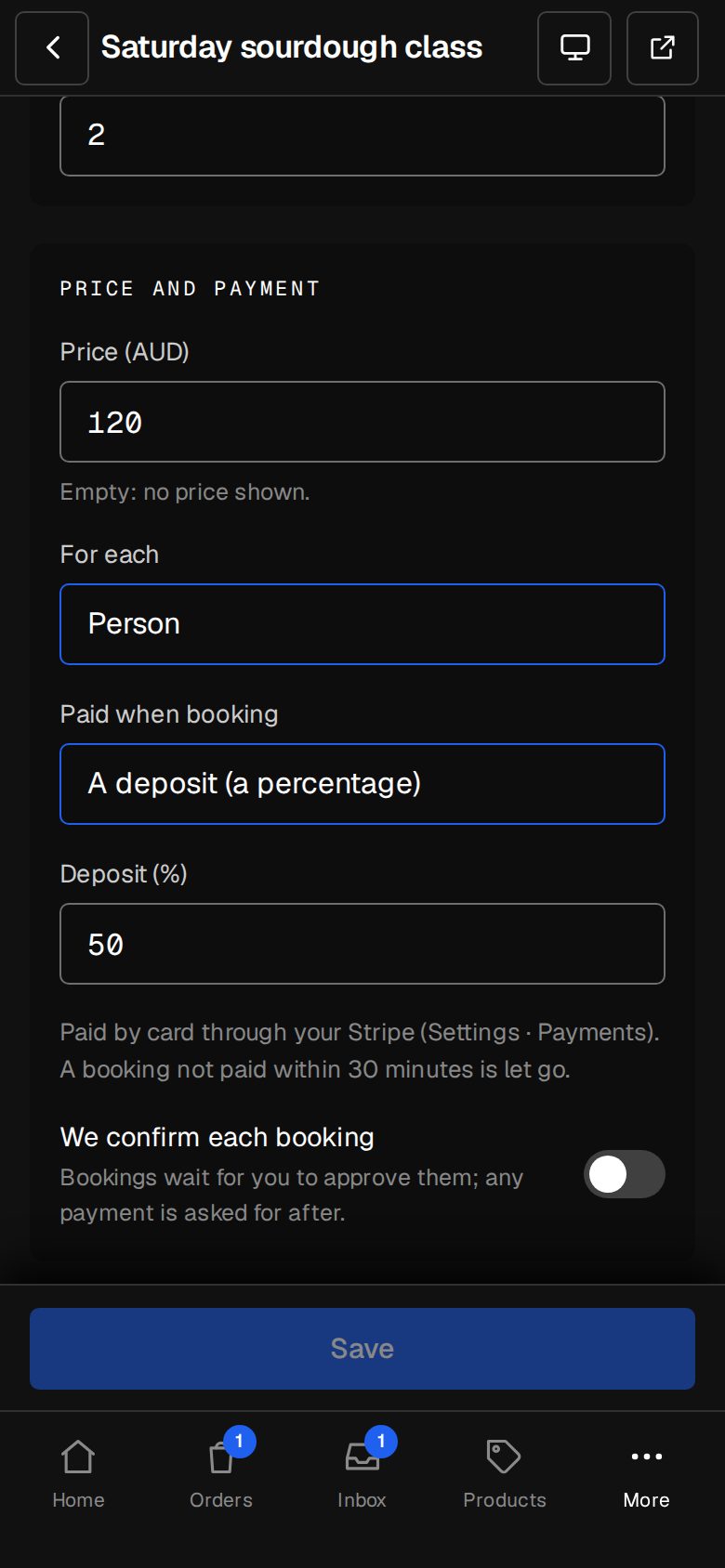
Deposits and payments
None, a set amount, a percentage or the lot, through your own Stripe.
Their own booking page
A private link to see it, pay, move it or cancel, up to your cut-off.
Two-way Google Calendar
For each person on the team: busy blocks, bookings added and removed.
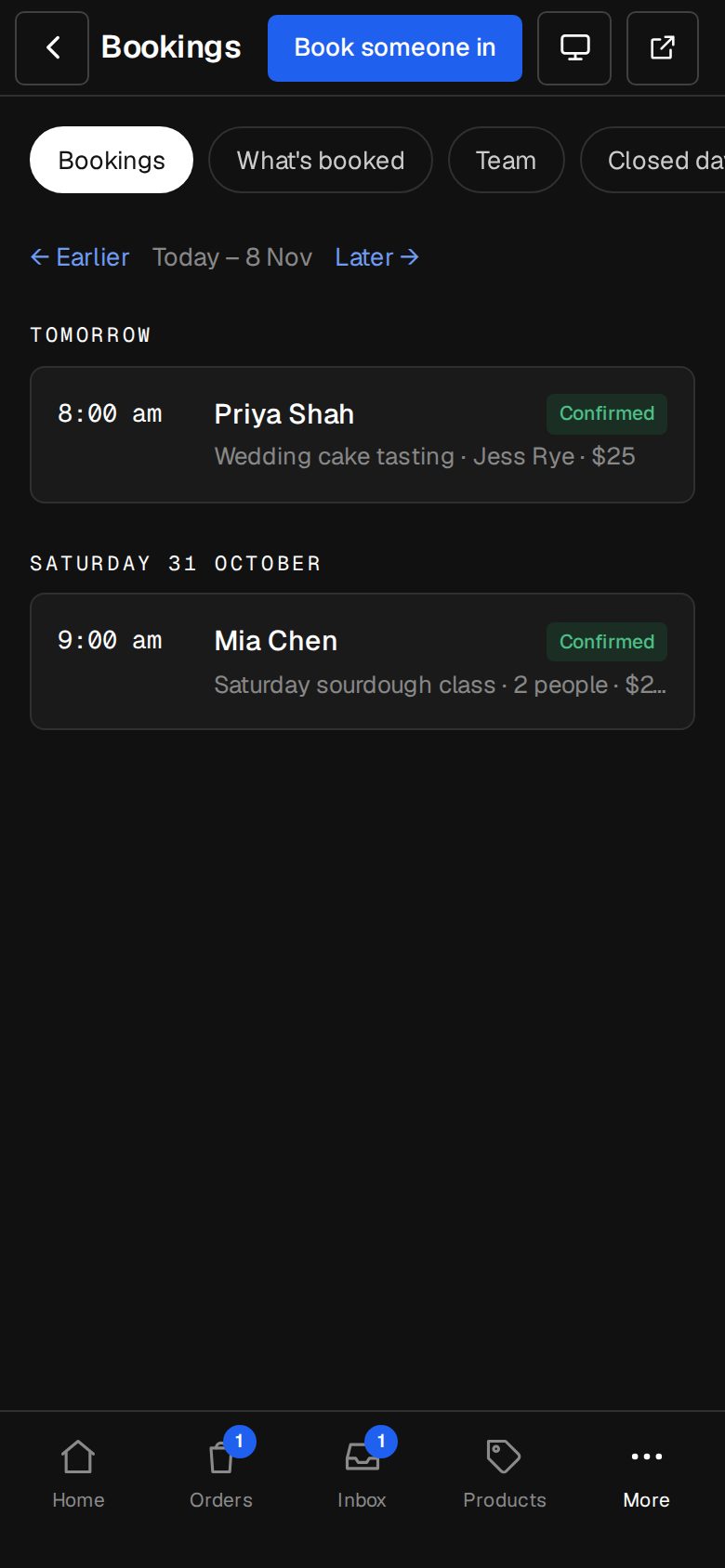
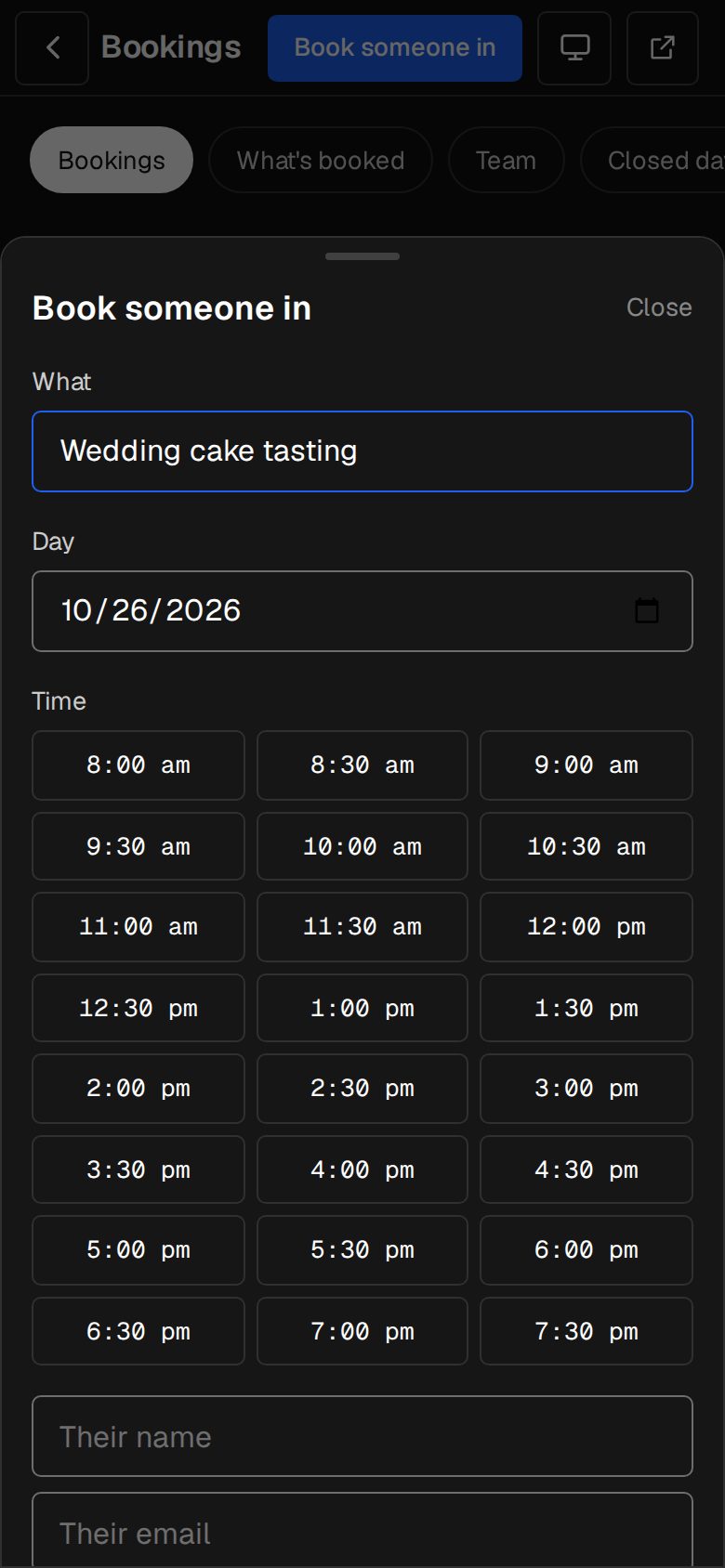
01 · Real screens
Book someone in
A phone call, a walk-in: pick the service and the time and they're in, with the email sent.
- Staff see and work bookings
- Managers set up services and the team
- Confirm each booking yourself, if you like
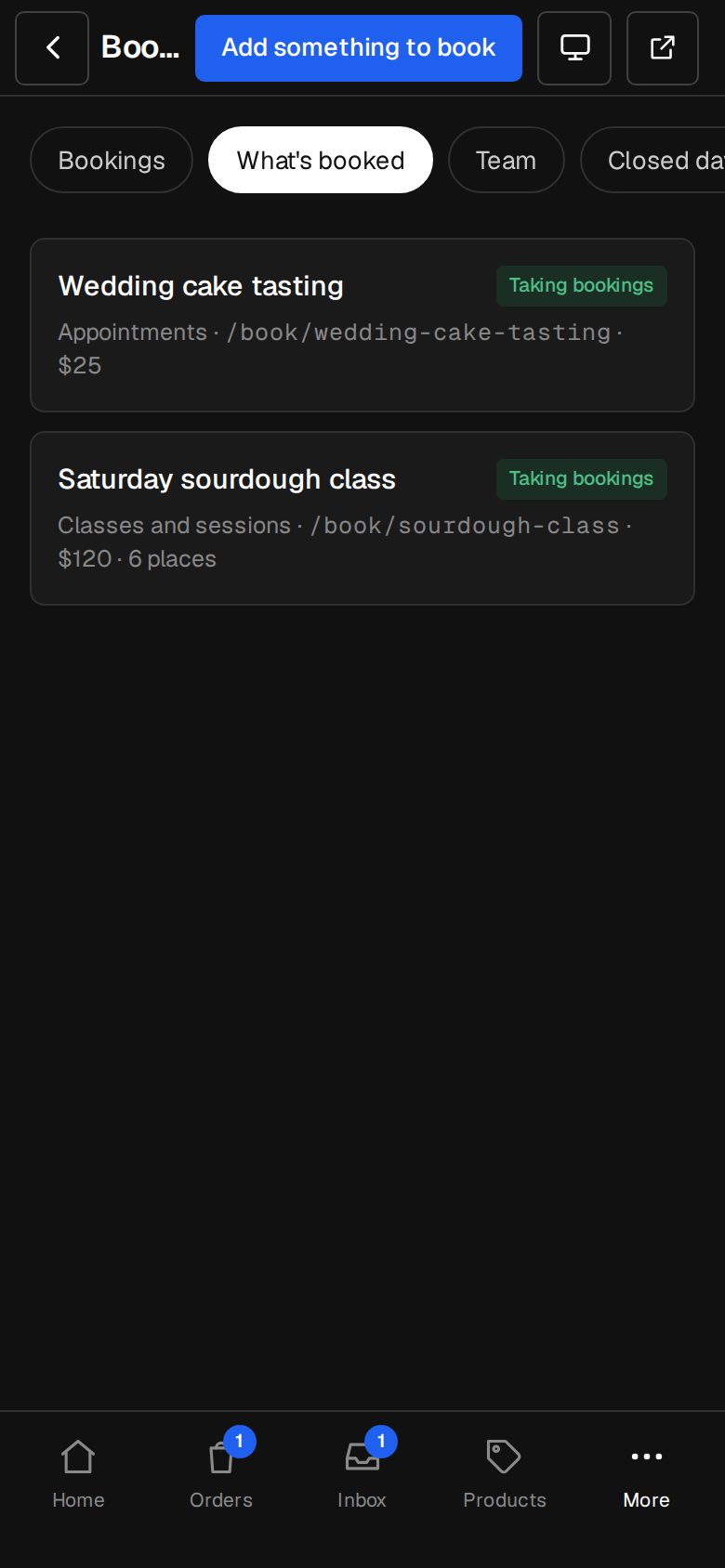
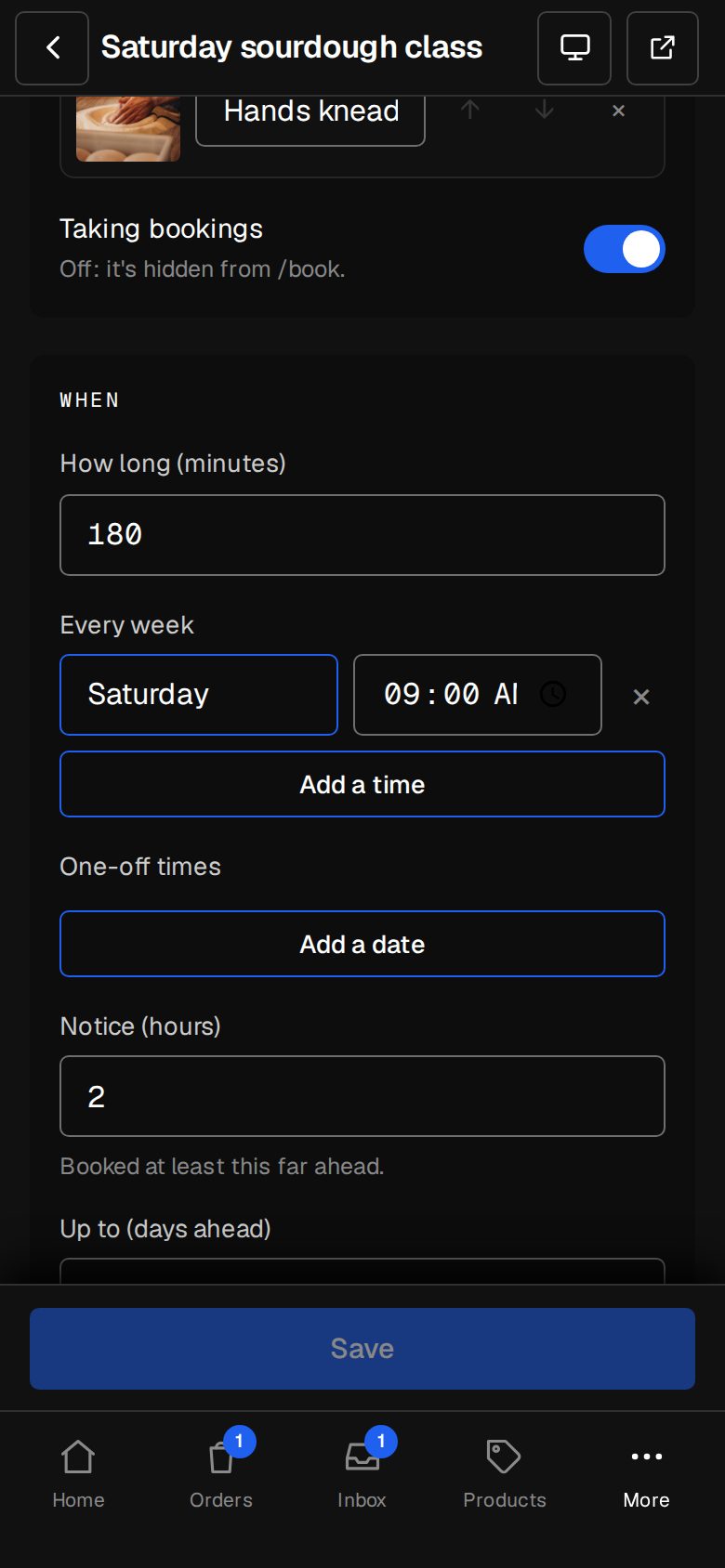
02 · Real screens
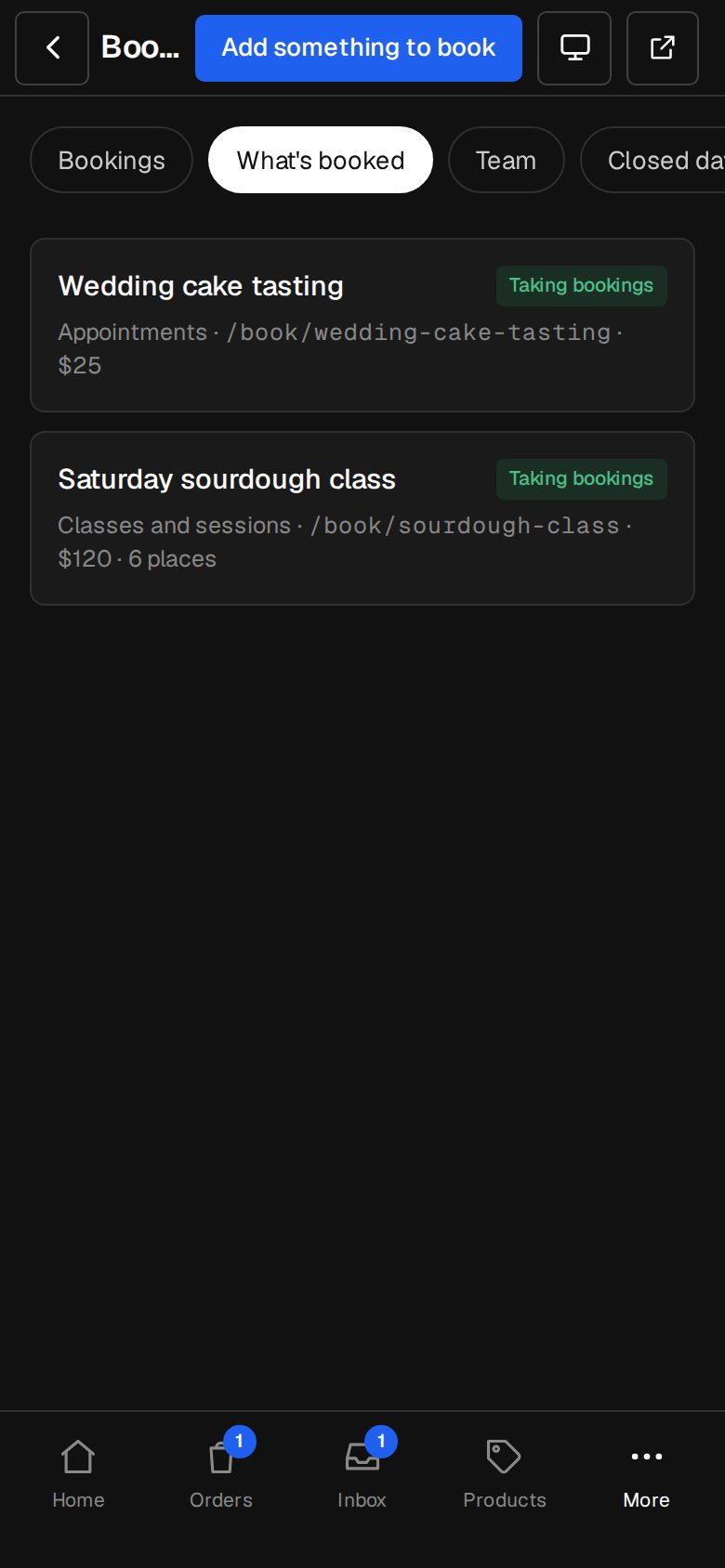
Services that fit how you work
Who takes it, where it happens, how long it runs and what it costs.
- At your place, online or at their address
- Places per class, covers per sitting
- Minimum and maximum nights for stays
How it works
On in a minute. Working the same day.
- 01
Add Bookings
An Owner adds it on Settings · Plan.
- 02
Pick your business
We set up the first service for you.
- 03
Set your times
Hours, closed days and who takes what.
- 04
Share it
Link /book from your menu or any button.
Do customers need an account?
No. Each booking has its own private link to pay, move or cancel.
Can I take a deposit?
Yes: none, a set amount, a percentage or the full price, through your own Stripe.
Does it work with Google Calendar?
Yes, two ways, per person. Busy times there block times here, and bookings appear there.
Can I approve bookings first?
Yes. Turn on We confirm each booking and they wait for you.
Step-by-step guides Every screen of Bookings, in the Help centre.
Start free. Add Bookings when you're ready.
Start free for 14 days, no card. Add Bookings once your plan is paid, or ask us to switch it on while you try it.