
Help/Languages/Words for AI translation
Words for AI translation
The Translator add-on gives you the languages. Translating with Claude is paid separately, in words, bought once in packs. Typing your own translations never uses words.
Managers and Owners see how many are left. Translator is an add-on an Owner adds on Settings · Plan.
2 minutesOwners buy wordsWorks on a phone
See what you have
Words left shows on Settings · Languages, at the top of Content, then Translate, and beside each translation.
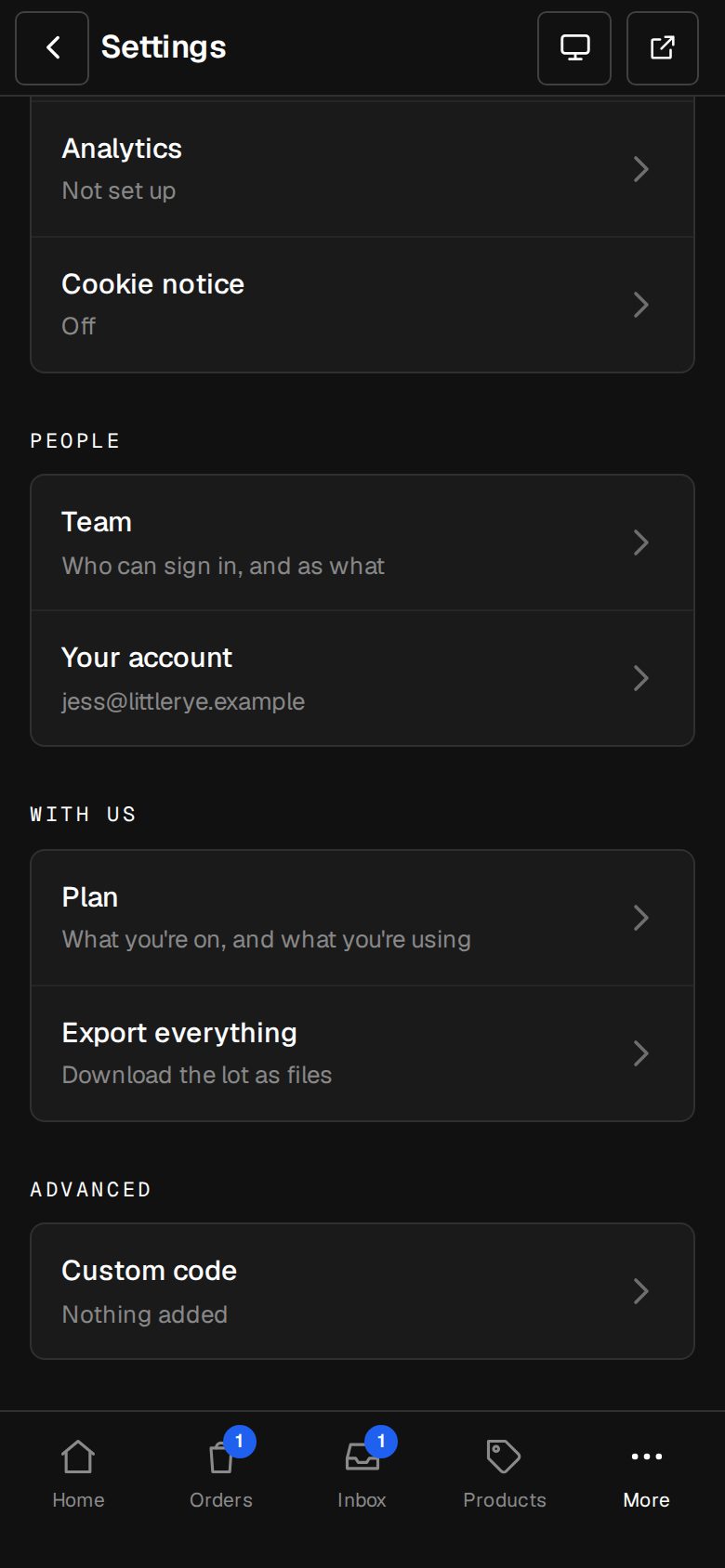
Open Settings, then Plan
On a computer, choose Settings in the sidebar. On a phone, tap More, then Settings. Plan is under With us.
Buy a pack
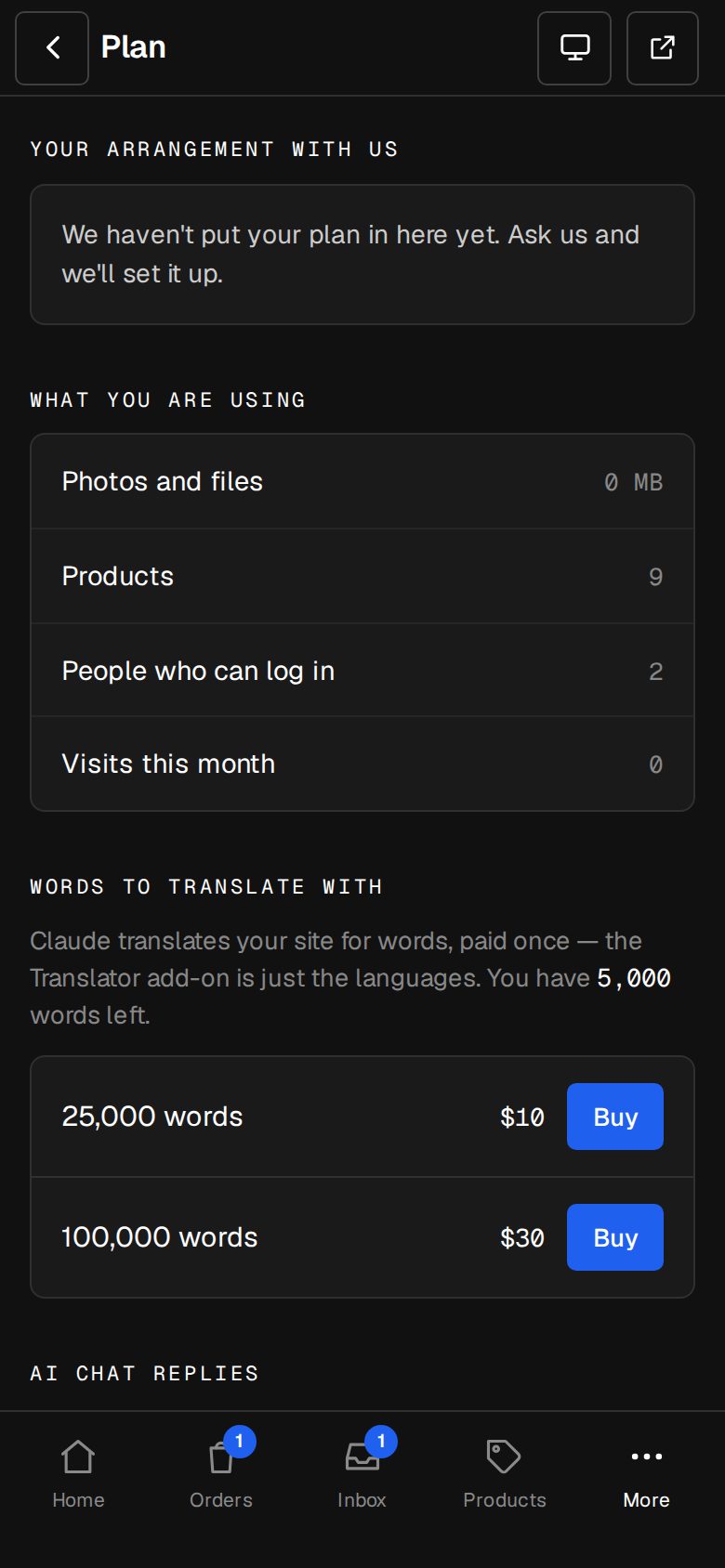
Under Words to translate with, tap Buy beside a pack. You pay on Stripe's own page, in your plan's currency.
Come back
Back on Plan, you'll see Thank you — your words are in, and the new total.
Good to know
- Before Claude runs, the button shows how many words it uses: Translate what's empty only counts the empty boxes.
- A word is a run of letters or numbers, so Ice-bath 1.8 m is five words. A long run with no spaces counts one word for every six characters.
- Words come off when Claude starts. If the translation fails or doesn't fit, they go back.
- With too few words left, the button is greyed out. Buy more, or type it yourself.
Questions
Is it a subscription?
No. Each pack is paid once, and the words stay until you use them.
No packs show?
If there are none in your currency yet, ask us through Get help.
Was this helpful?