
Help/Chat/Put a chat on your site
Put a chat on your site
Chat puts a round chat button on every page of your site. You choose how it works: it can list the ways to reach you, offer your ready answers and live chat, or let AI answer first.
Chat is an add-on. If you can't see Chat in Settings, an Owner can add it on Settings · Plan, in Add to your plan.
2 minutesManagers and OwnersWorks on a phone
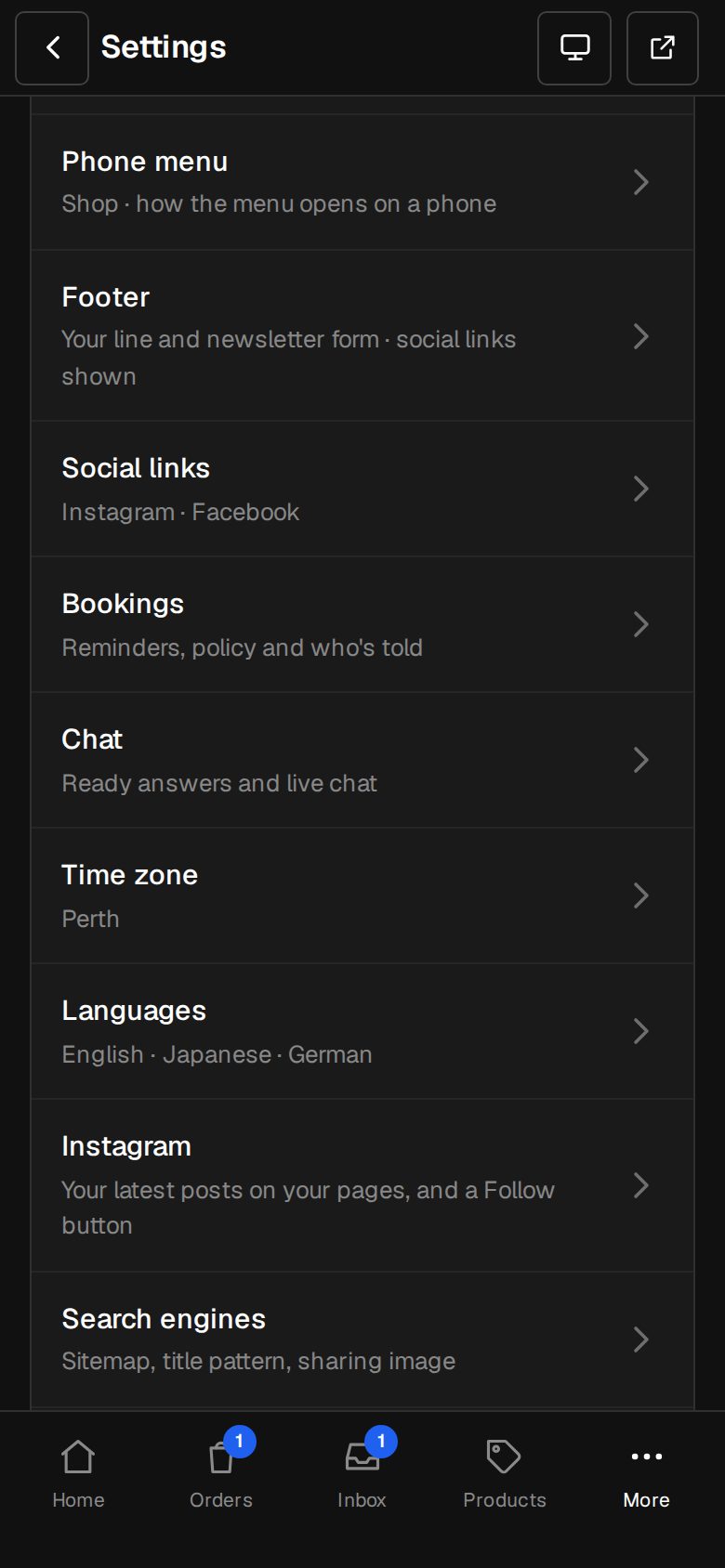
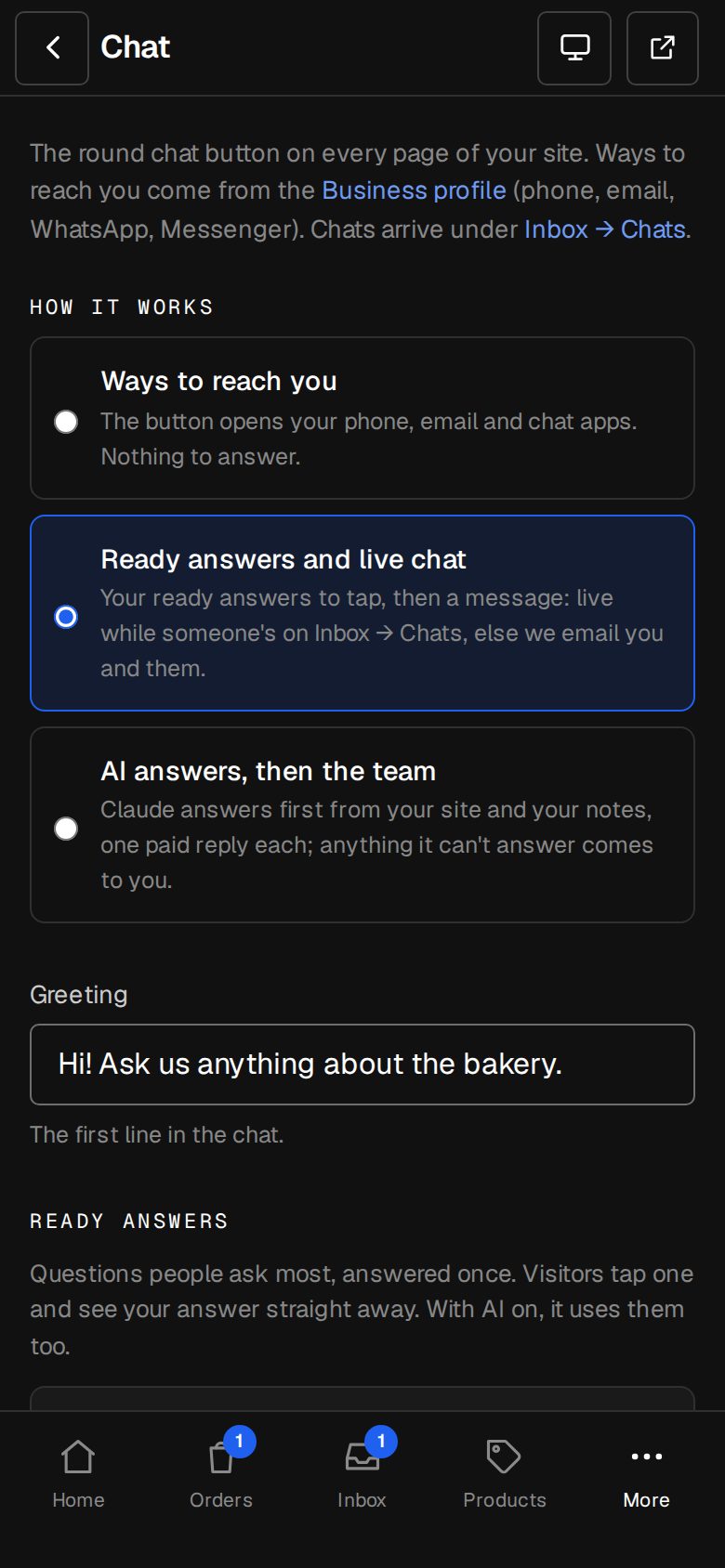
Open Settings, then Chat
On a computer, choose Settings in the sidebar. On a phone, tap More, then Settings. Chat is under Your site.
Choose How it works
Ways to reach you: the button opens your phone, email and chat apps, with nothing to answer. Ready answers and live chat: visitors tap your answers, then can write to you. AI answers, then the team: Claude answers first, and anything it can't answer comes to you.
Write the Greeting
The first line visitors see when they open the chat, up to 200 characters.
Add ready answers
For the two chat modes, add the questions people ask most. See Ready answers.
Decide who's told
Under When someone writes, leave Live chat while someone's in on to chat live while anyone on the team has Inbox, then Chats open. In Email chats nobody's there for to, add up to five addresses. Left empty, the Owners are emailed.
Save
Tap Save. The button shows on your site straight away.
Good to know
- Ways to reach you come from Settings · Business profile: phone, email, and chat apps like WhatsApp or LINE. Fill those in first.
- Visitors give their email when they first write, so you can answer after they've gone.
- To stop abuse, one visitor can send 8 messages a minute and 60 an hour.
Was this helpful?