
Let AI answer first
With AI answers on, Claude answers visitors first, from your site and your notes. When it can't answer, or someone wants a person, it hands the chat to your team. Each AI answer uses one paid reply.
Only Owners buy replies. Chat is an add-on an Owner adds on Settings · Plan. AI replies are bought separately.
2 minutesManagers and Owners set it upWorks on a phone
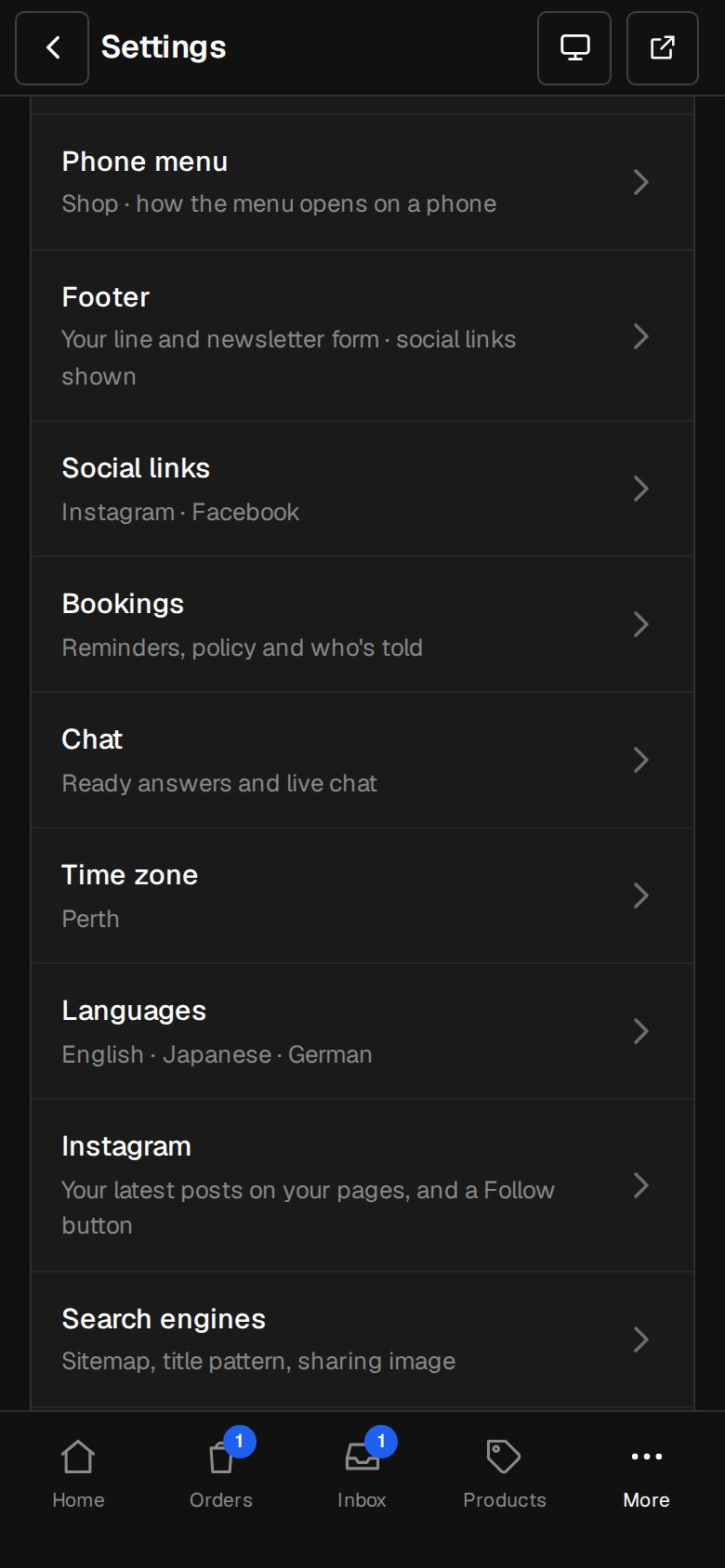
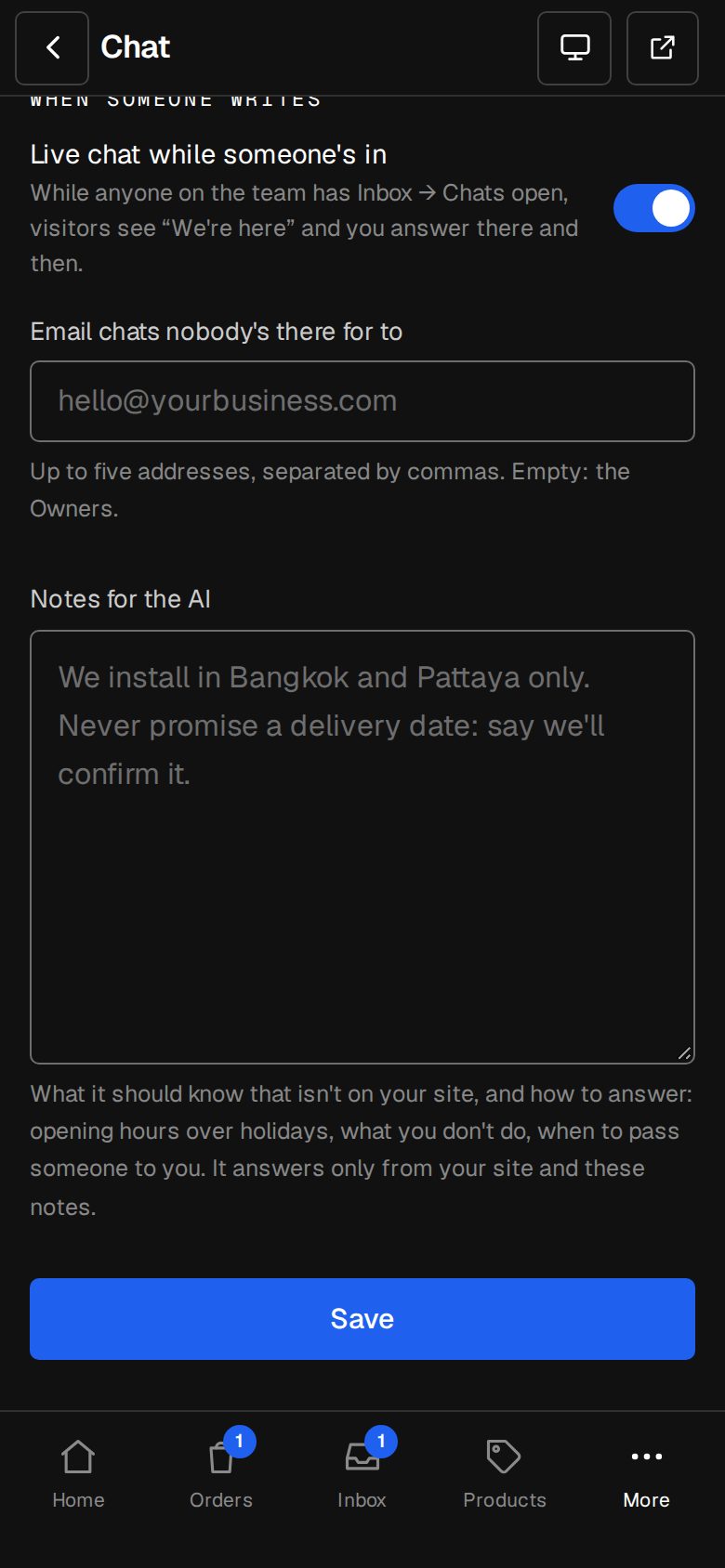
Open Settings, then Chat
On a computer, choose Settings in the sidebar. On a phone, tap More, then Settings. Chat is under Your site.
Choose AI answers, then the team
Under How it works, pick AI answers, then the team. The replies you have left show beneath it.
Write Notes for the AI
Tell it what isn't on your site, and how to answer: holiday hours, what you don't do, when to pass someone to you. Up to 4,000 characters. It answers only from your site and these notes.
Add ready answers
Claude reads your ready answers too, so add the common ones.
Buy replies
Owners tap Buy replies, or go to Settings · Plan, under AI chat replies, and tap Buy beside a pack. It's paid once, through Stripe.
Save
Tap Save, then try the chat on your site.
Good to know
- Claude reads your live pages, products and prices, your Business profile, your ready answers and your notes. Changes reach it within ten minutes.
- Once anyone on the team answers in a chat, Claude stops answering in that one.
- With no replies left, chats go straight to your team, as in Ready answers and live chat.
- If Claude fails to answer, the reply isn't used.
Questions
Do ready answers use replies?
No. Tapping a ready answer and live chat come with the Chat add-on. Only answers Claude writes use a reply.
Was this helpful?