
Help/Connections/Put your products on Google Shopping
Put your products on Google Shopping
Your products, free on Google Shopping and in Google search. Google fetches them from your feed once a day, with their prices, photos, stock and delivery.
Your site needs to be live.
2 minutesOwners and Managers, with the shop onWorks on a phone
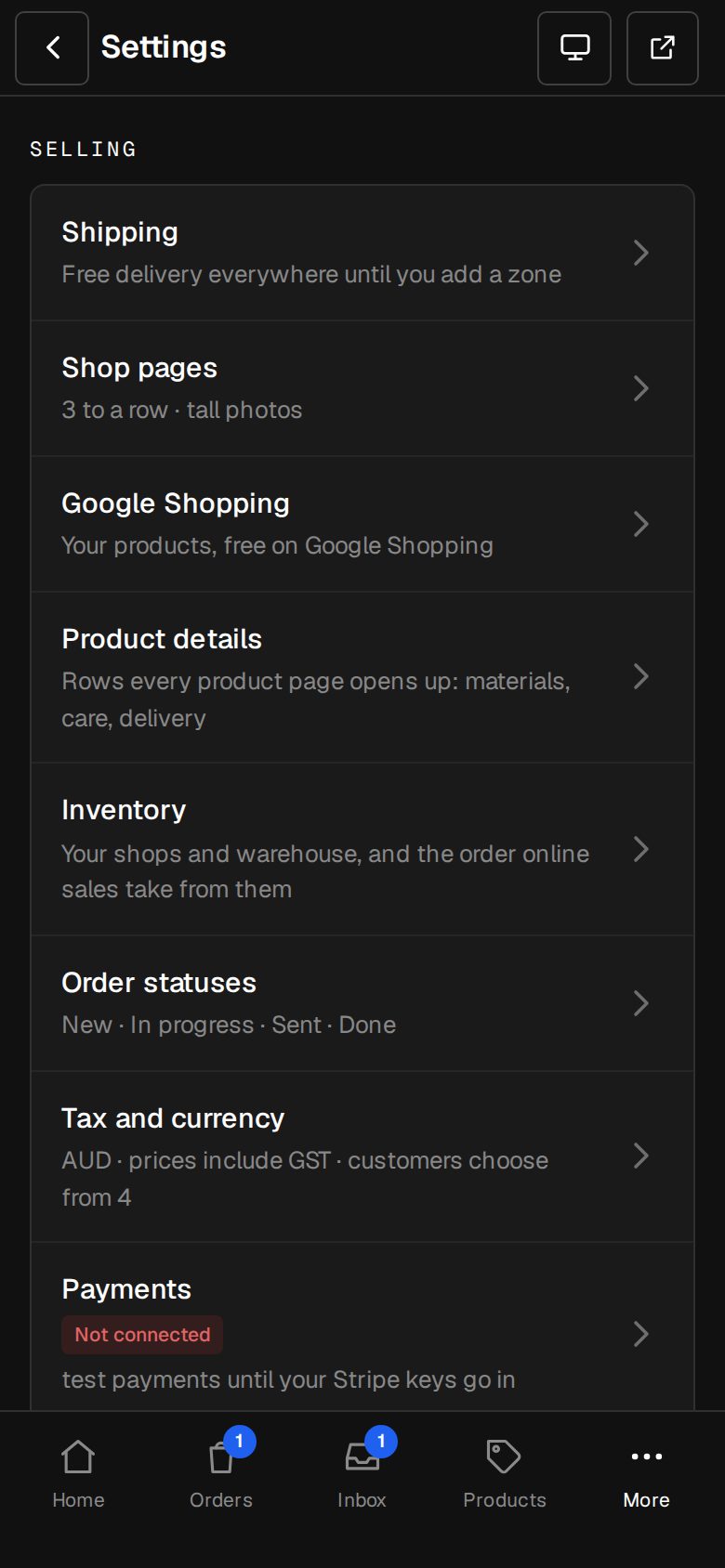
Open Settings, then Google Shopping
On a phone, tap More, then Settings. Google Shopping is under Selling.
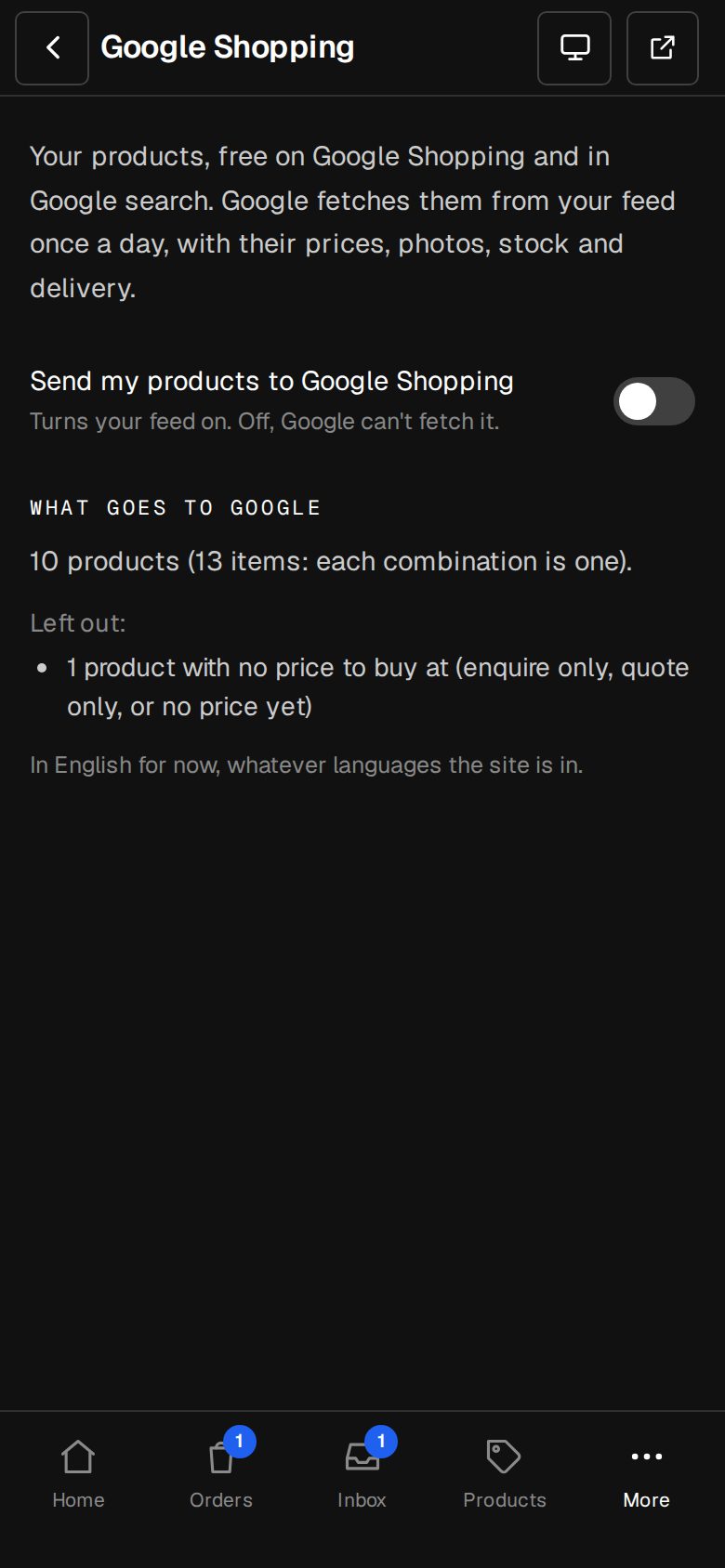
Turn on Send my products to Google Shopping
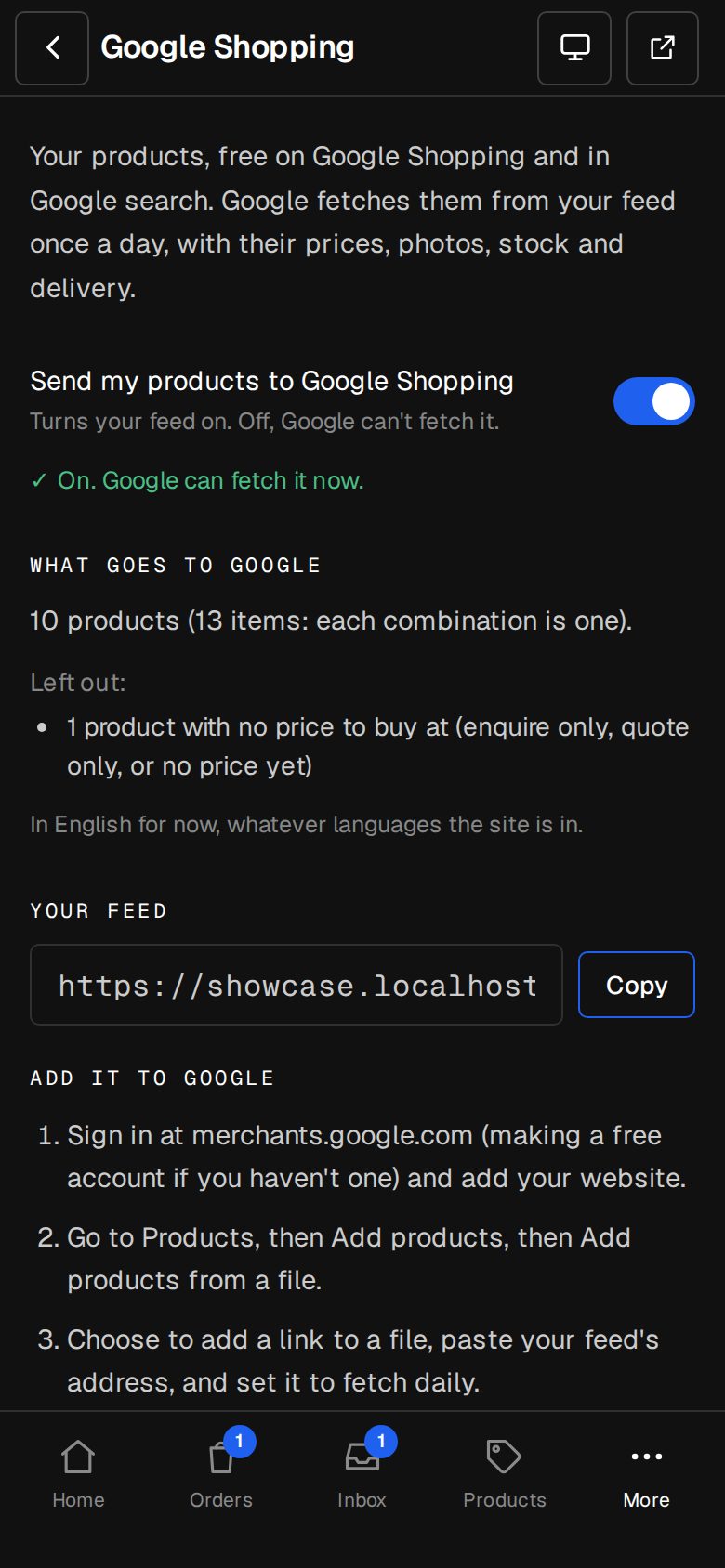
It saves as you flip it. Off, Google can't fetch the feed.
Copy your feed's address
Under Your feed, tap Copy.
Add it in Merchant Center
Sign in at merchants.google.com (a free account if you haven't one) and add your website. Go to Products, then Add products, then Add products from a file. Choose to add a link to a file, paste your feed's address and set it to fetch daily.
Pick the country and language
Choose the country you sell to and English, then save. Google checks your products over a few days, and lists anything it flags in Merchant Center.
Good to know
- What goes to Google lists how many products go, and which are left out: hidden ones, ones with no price to buy at, and ones without a photo.
- Each combination on offer, such as a size or colour, is its own item with its own price and photo.
- The feed is in English for now, whatever languages your site is in.
- With Customer approval keeping the shop to approved customers, there's no feed.
Was this helpful?