
Help/Courses/Free, sign-in or paid
Free, sign-in or paid
Each course chooses who can take it. Free courses are open to anyone. Sign-in and paid courses keep each student's progress, and lessons marked Free preview open for anyone as a taste.
Courses is an add-on an Owner adds on Settings · Plan. Paid courses also need your Stripe connected on Settings · Payments.
2 minutesManagers and OwnersWorks on a phone
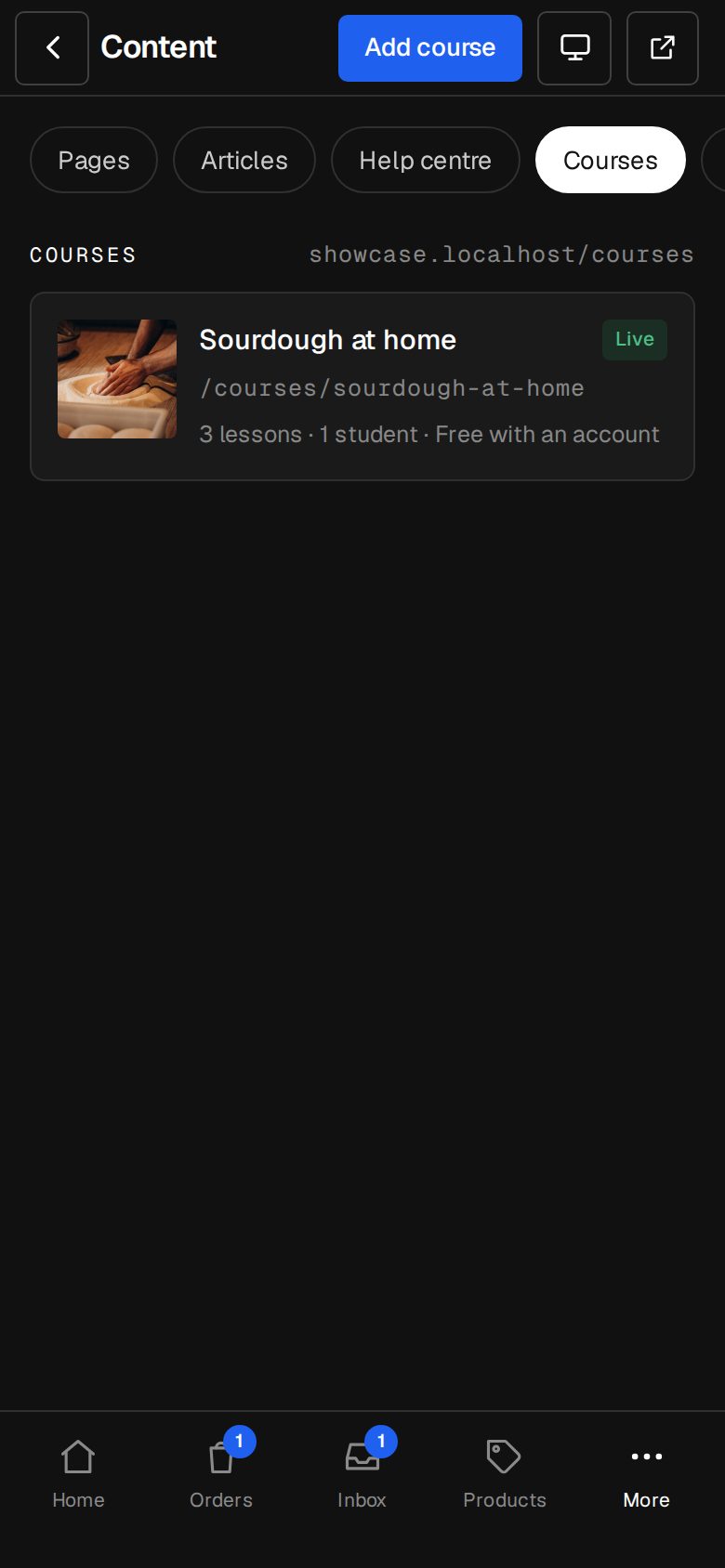
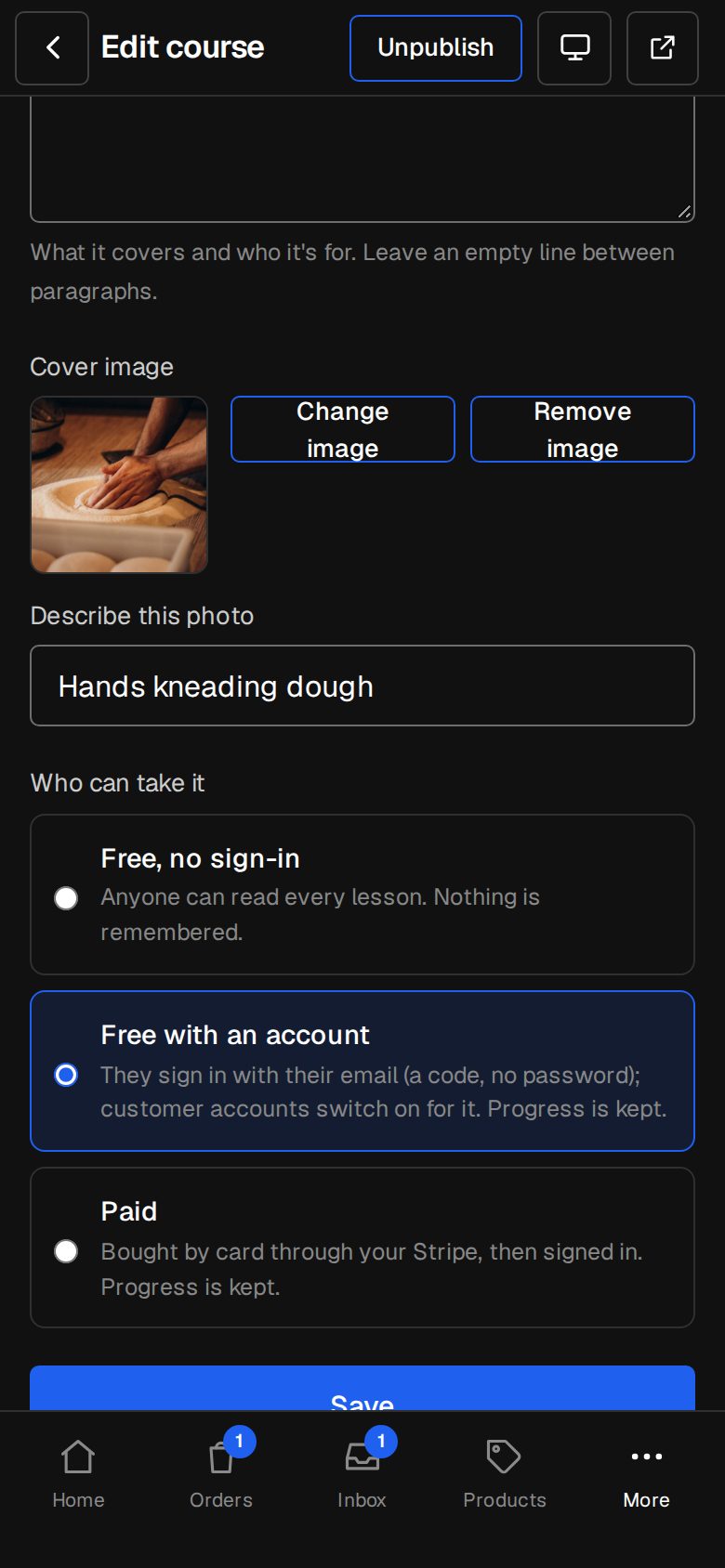
Open the course
Go to Content, then Courses (on a phone, More, then Content), and tap the course.
Choose Who can take it
Free, no sign-in: anyone reads every lesson and nothing is remembered. Free with an account: they sign in on your site with their email, and progress is kept. Paid: bought by card, then signed in.
Set the price
For Paid, fill in Price. It's paid once, in your shop's currency, and they keep the course for as long as it's on your site. Tap Save.
Pick free previews
Under Lessons, tap Settings beside a lesson and tick Free preview. Anyone can open that lesson, signed in or not, and it can show in search.
Check it on your site
On the course page, visitors see Start the course, Sign in to start or Sign in to buy, depending on your choice. After paying, they come back to the course with You're in. Enjoy the course.
Good to know
- Payments go through your own Stripe, straight to you. The student counts as paid only once Stripe confirms the right amount.
- Until your Stripe keys are in, buyers are told paying by card isn't open on this site yet.
- Choosing Free with an account or Paid switches on customer accounts for your site. A student who bought the course or was given it can always sign in, even when Settings · Customer accounts is set to Only people you approve.
- Drip days count from the day each student starts or buys.
Was this helpful?