
Help/Deals & customers/Track deals on the board
Track deals on the board
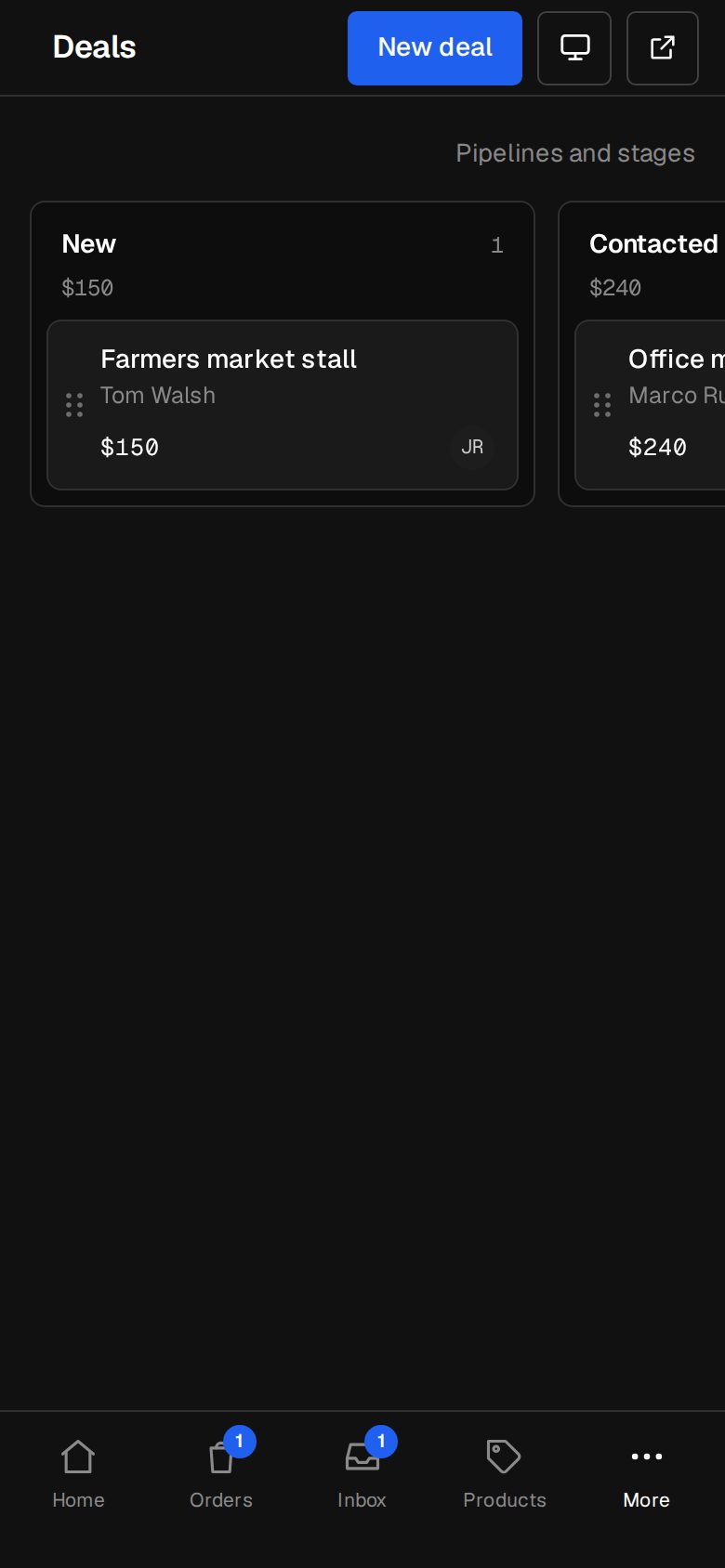
A deal is work you hope to win. Deals sit on a board: one column per stage, from New through Contacted and Quoted to Won, Paid or Lost. Your first pipeline, Sales, appears the first time anyone opens Deals.
Owners and Managers also delete deals and set up pipelines. Deals, Tasks, tags and Companies come with the CRM add-on. If you can't see them, an Owner can add it under Settings · Plan, in Add to your plan.
3 minutesEveryone on the team works dealsWorks on a phone
Open Deals
On a computer, choose Deals in the sidebar. On a phone, tap More, then Deals.
Add a deal
Tap New deal. Fill in What's the deal?, Worth and Currency, the Pipeline and Stage, Who it's with (a contact, or Someone new…), Who's on it and Notes. Tap Add the deal.
Move it along
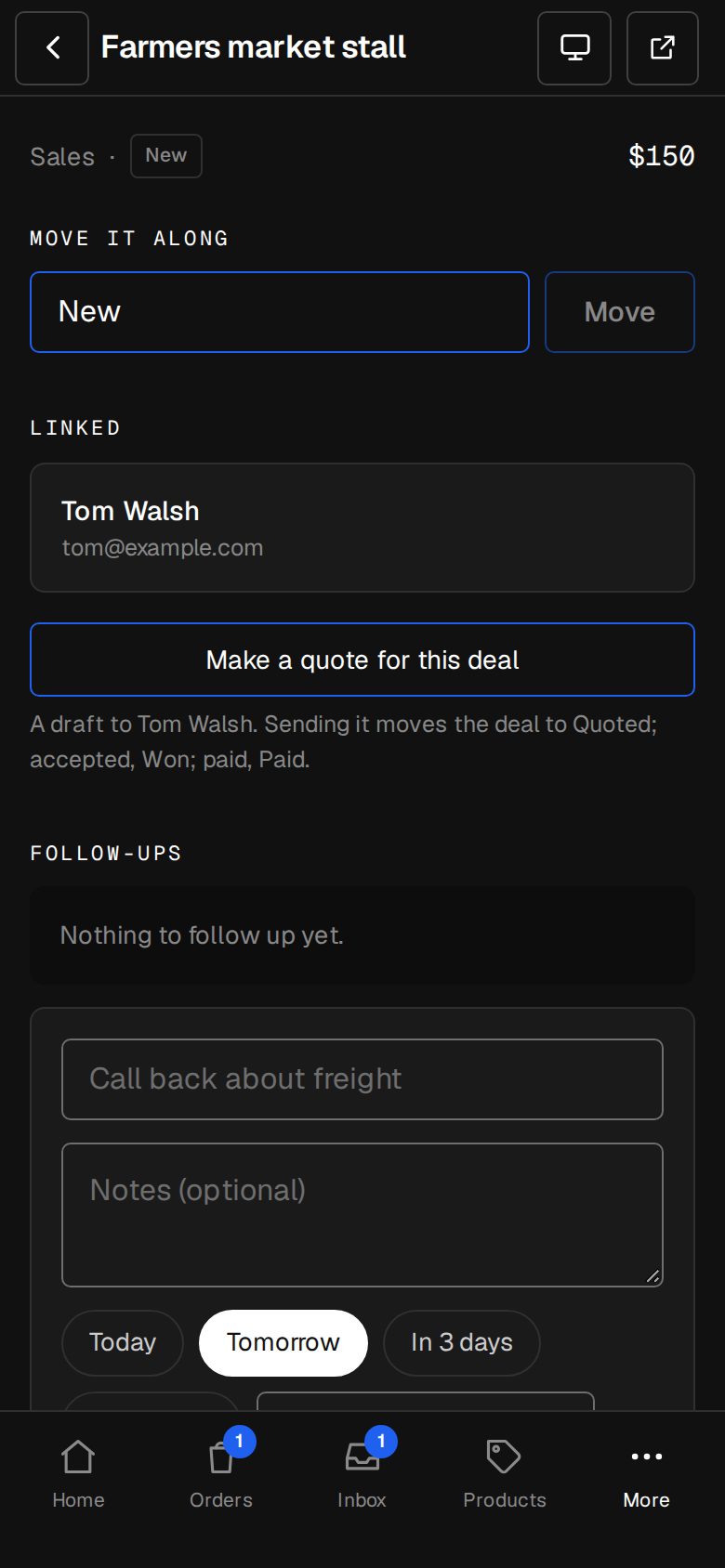
Drag a card by its handle, the dots on its left, to another column. On a phone, press and hold the handle; the columns scroll sideways. On a deal's own page, pick a stage under Move it along and tap Move.
Say why it was lost
Moving a deal to Lost asks Why was it lost? A few words help later. Tap Move to lost.
Work the deal
Tap a card to open it. Linked shows its contact, company, quote, invoice and the enquiry it came from. Add Follow-ups, change the Details and tap Save.
Make a quote
With the Invoicing add-on, an Owner or Manager can tap Make a quote for this deal. It starts a draft quote to the deal's contact.
Set up pipelines
Owners and Managers tap Pipelines and stages. Drag stages into order, mark each Still going, Won or Lost, and choose whether deals move there by hand or by themselves. Tick What starts a deal here, set Idle after (days) and tap Save the pipeline. + Add a pipeline makes another.
Good to know
- Deals fill themselves in. A quote request, or an enquiry through a form ticked under What starts a deal here, starts a deal with its contact. Its quote sent moves it to Quoted, accepted to Won, the invoice paid to Paid, and declined to Lost with their reason.
- Those moves only go forward, never back. Sales takes quote requests to start with.
- Each form, and quote requests, start deals in one pipeline only. Ticking one in a pipeline takes it from another.
- A deal still going with nothing done for its pipeline's idle days (14 to start) shows Idle, and appears on Home under Needs you today.
Was this helpful?