
Help/Connections/Connect QuickBooks
Connect QuickBooks
Paid orders, the invoices you send from here and refunds go into your QuickBooks Online by themselves: a sales receipt for each sale, deposited where you say, or a refund receipt. The customer is found by email or name, or made. No typing them in twice.
QuickBooks is an add-on, listed on Settings · Plan & add-ons under Connect your other tools.
2 minutesOwners, with the authenticator appWorks on a phone
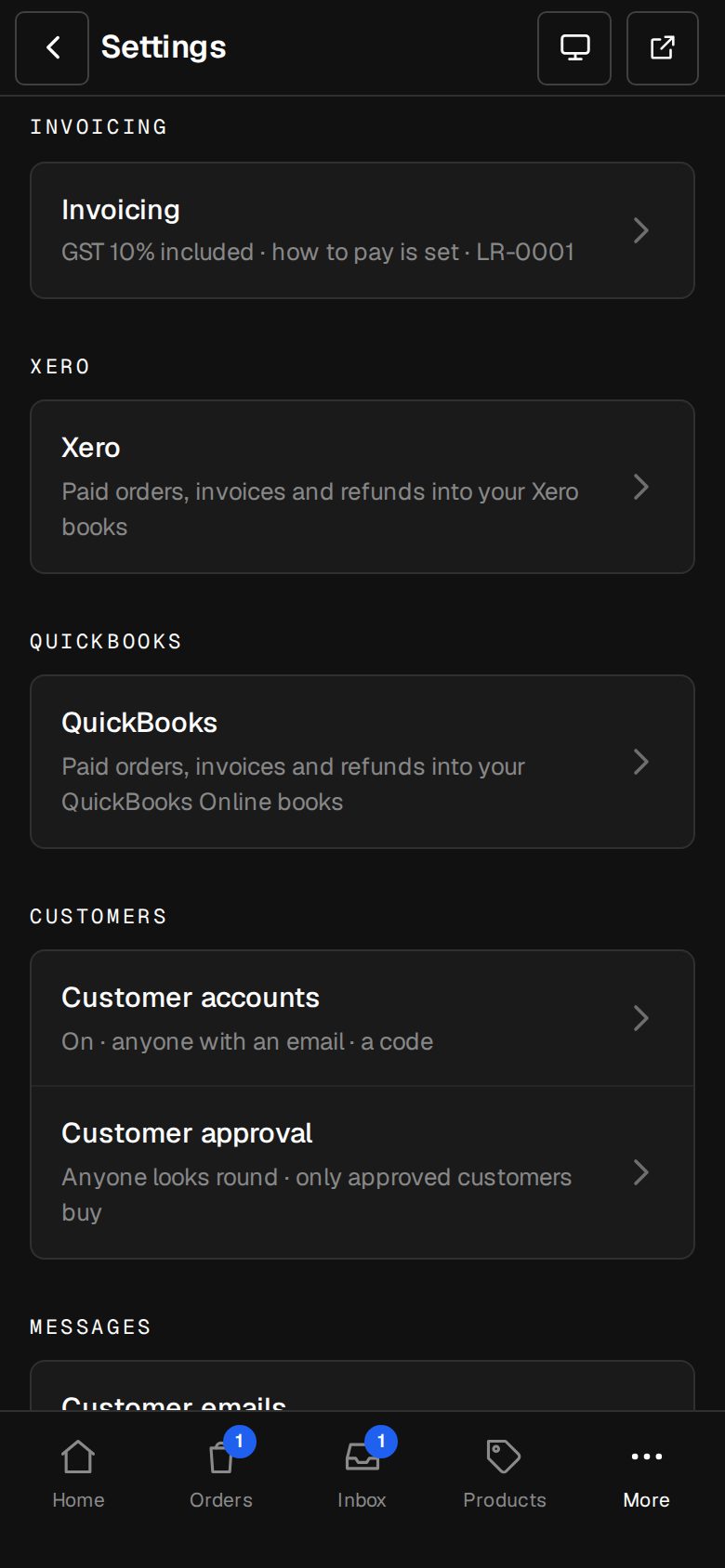
Open Settings, then QuickBooks
On a phone, tap More, then Settings. QuickBooks has its own group once the add-on is on.
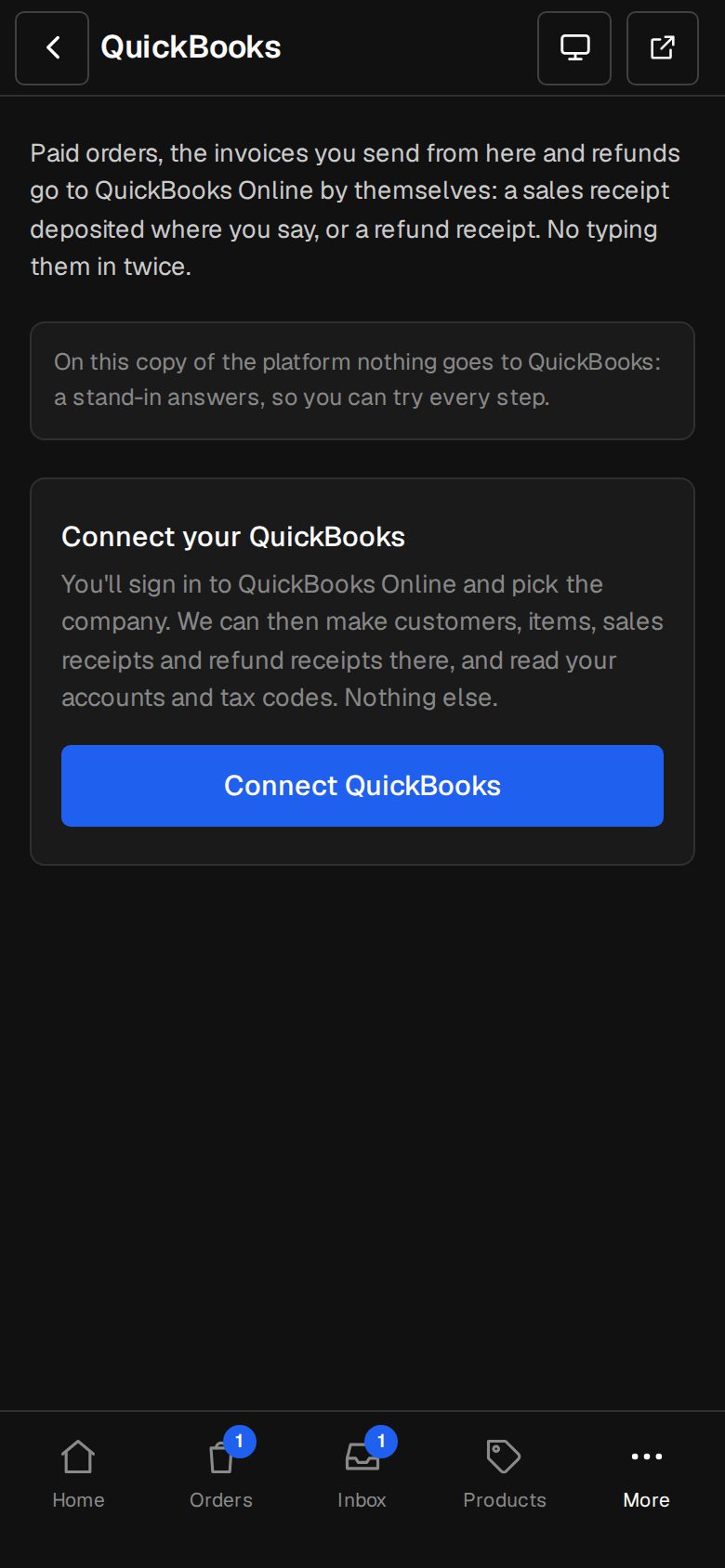
Tap Connect QuickBooks
Sign in to QuickBooks Online and pick the company. We can make customers, items, sales receipts and refund receipts there, and read your accounts and tax codes. Nothing else.
Choose What goes to QuickBooks
Paid orders, Invoices you send from here, once paid, and Refunds. A shop order's own invoice goes as the order, never twice.
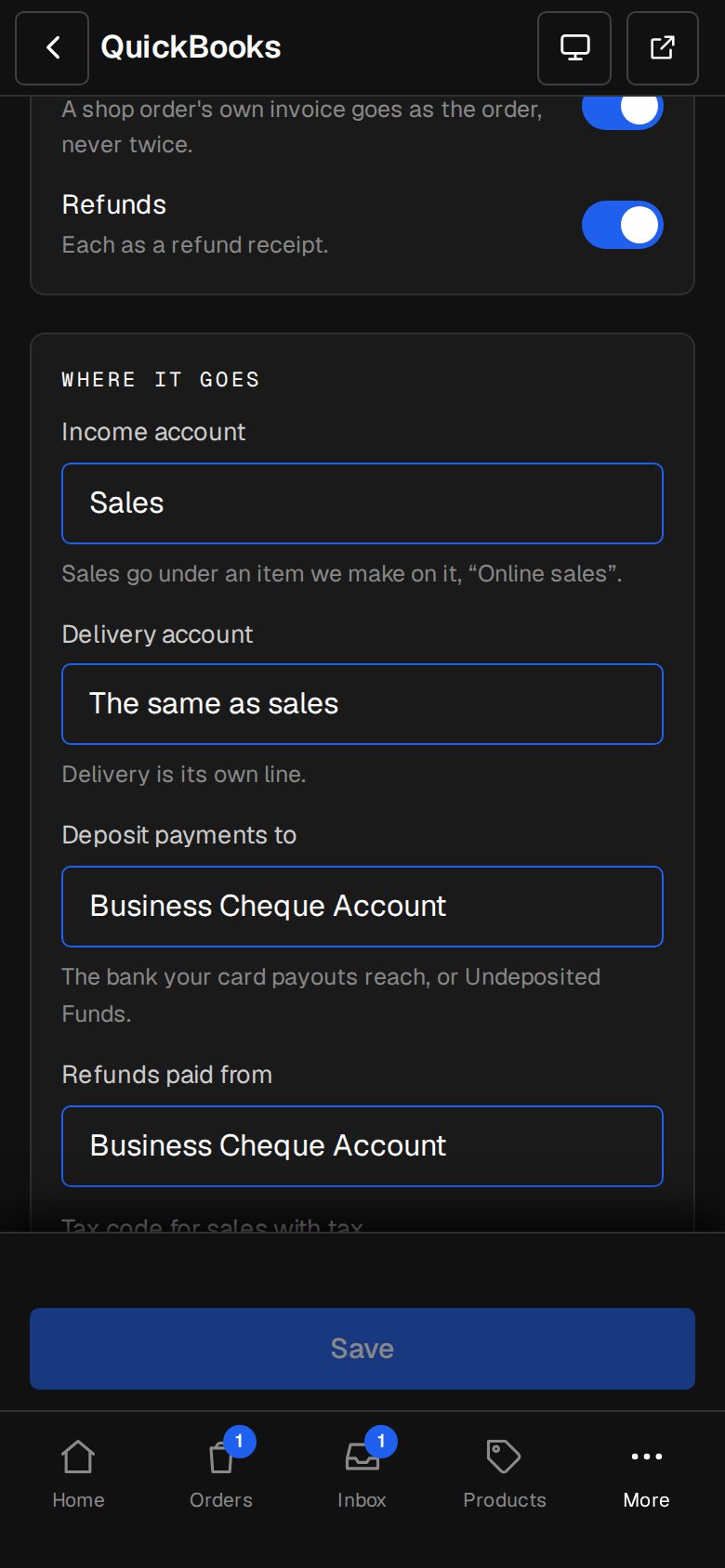
Set Where it goes
Pick the Income account (sales go under an item we make on it, Online sales), the Delivery account, where to Deposit payments to (a bank, or Undeposited Funds), where Refunds are paid from, and the tax codes for sales with and without tax. Made a new one in QuickBooks? Tap Read them again.
Turn on Send to QuickBooks by itself
Each one goes within ten minutes of being paid. Tap Save in the bar at the bottom.
Good to know
- Sales in another currency need Multicurrency switched on in QuickBooks, or QuickBooks turns them down.
- In a US company, QuickBooks works out the sales tax itself.
- Something QuickBooks refuses is tried again, then shown on the order or invoice with Send again. Something paid before you switched sending on has Send to QuickBooks.
- If QuickBooks stops letting us in, the screen says Needs connecting again and the Owners are emailed. Tap Connect again.
- Disconnect stops sending and forgets the connection. What's already in QuickBooks stays there.
Was this helpful?