
Help/Get found/See what to fix for search and sharing
See what to fix for search and sharing
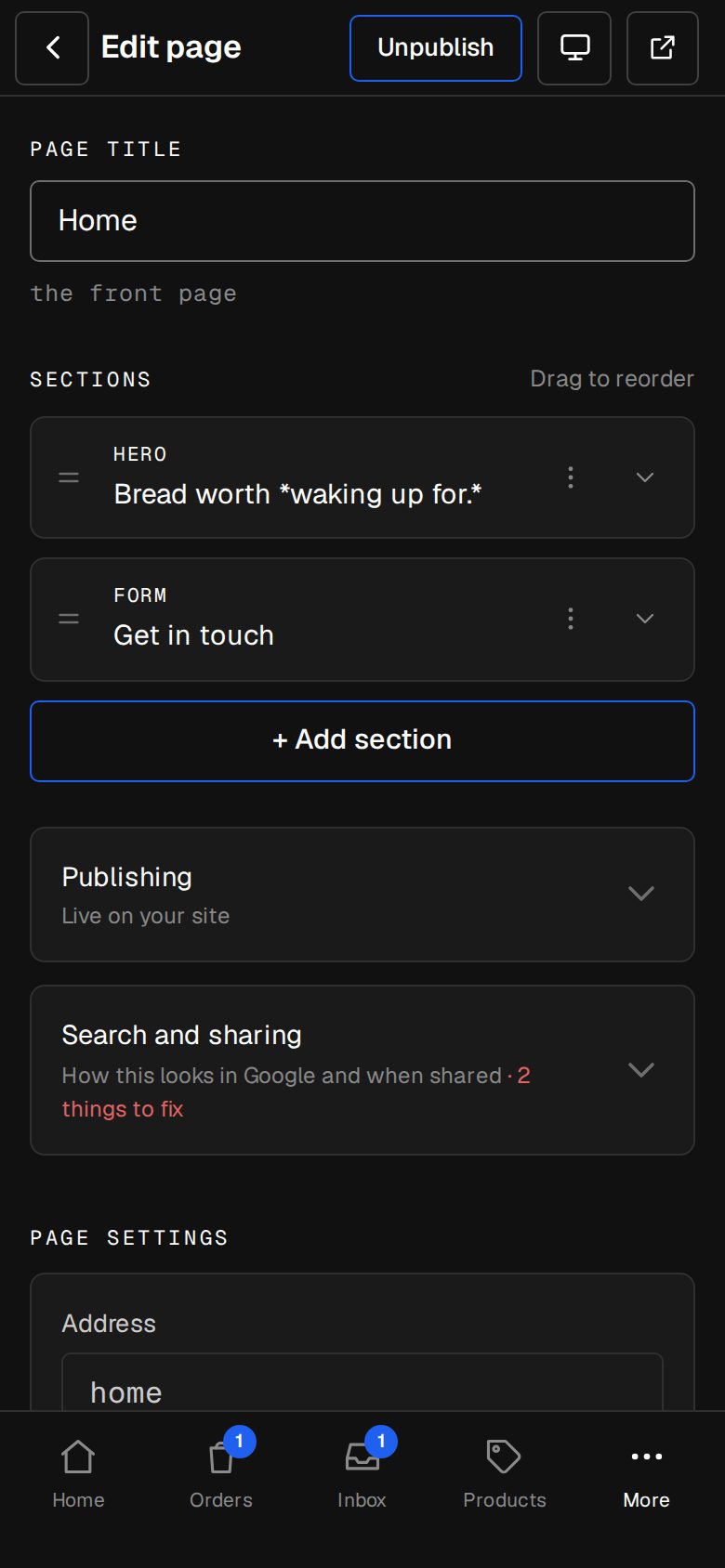
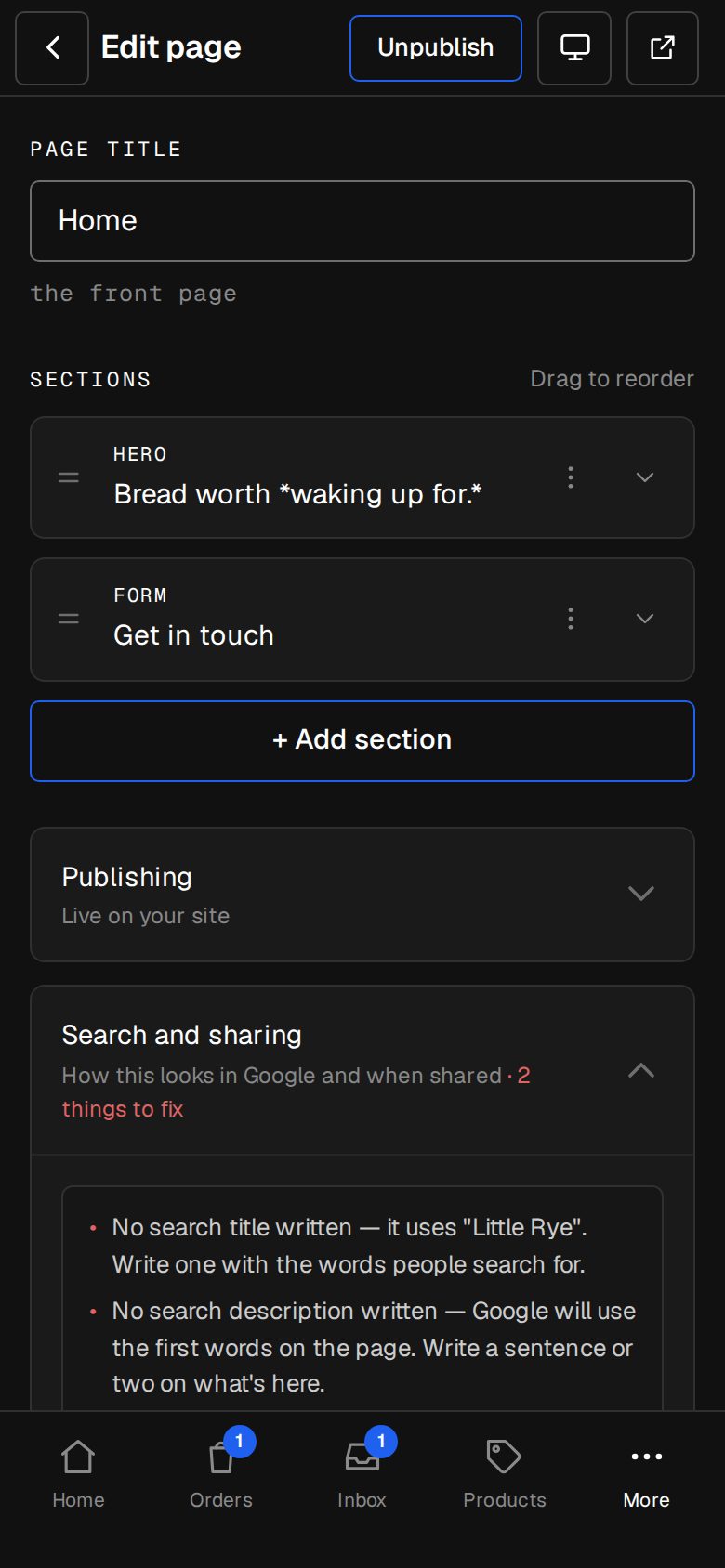
Every page, product and article has a Search and sharing card that checks what Google, and people sharing the link, will see. Anything worth fixing is listed in plain words, and the card's line says how many, like 2 things to fix. The checks update as you type.
2 minutesOwners and ManagersWorks on a phone
Open what you want to check
A page in Content, then Pages; a product in Products; an article in Content, then Articles. On a phone, Content is under More.
Open Search and sharing
Tap the card to fold it open. The list of fixes sits at the top, above the Preview.
Fix the title
No search title written means Google gets the page's name. Write one with the words people search for. If it's over about 60 characters, Google cuts it off, so shorten it.
Fix the description
Without one, Google uses the first words on the page. Write a sentence or two on what's here: a very short one does less well, and past about 160 characters the end is lost.
Add a sharing image
No sharing image means links show without a picture. Pick one under Sharing image, or set one for the whole site in Settings · Search engines.
Describe every picture
Open the section and fill in Describe this photo for each picture it shows. On a product it's each photo; on an article, the cover. Google and screen readers read these words.
Give the page a main heading
Each page has one main heading: the first section that shows its heading. If no section has one, start the page with a hero or a heading.
Good to know
- These are suggestions. A page works without them, but it does better in search with them.
- A page with Hide from search engines on isn't checked: Google won't see it anyway.
- Pictures whose description is never used aren't counted, such as a section's background picture.
- Every page also gets the details Google reads behind the scenes, like its address and sharing preview, without you doing anything.
Was this helpful?