
Help/Getting started/Make mailboxes and add the mail records
Make mailboxes and add the mail records
Once your email is Active, you make the addresses yourself in the mail panel: mailboxes, their passwords and forwarders. Then two records on your domain, MX and SPF, tell the world where your mail goes.
Managers see the email on Settings · Email but don't open the mail panel.
2 minutesOwners, with the authenticator appWorks on a phone
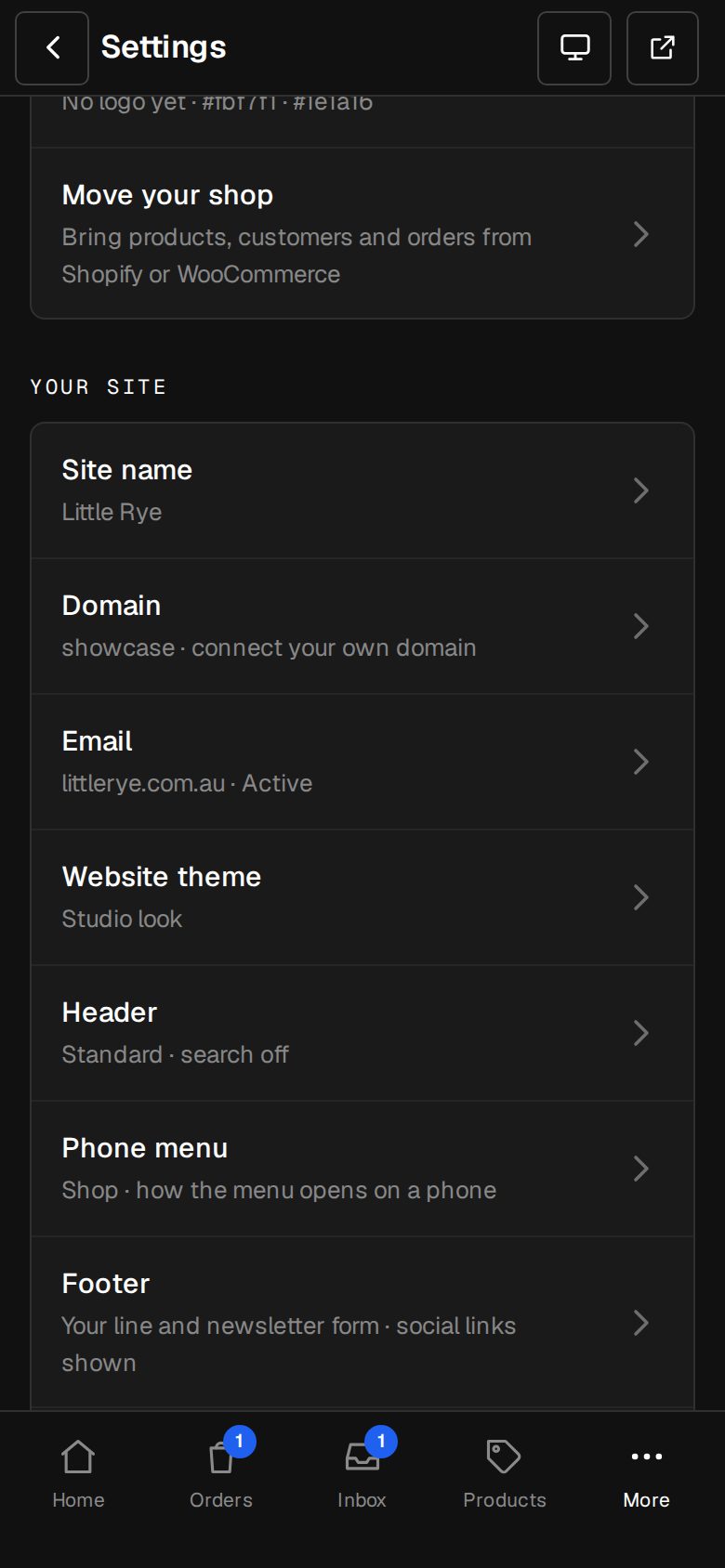
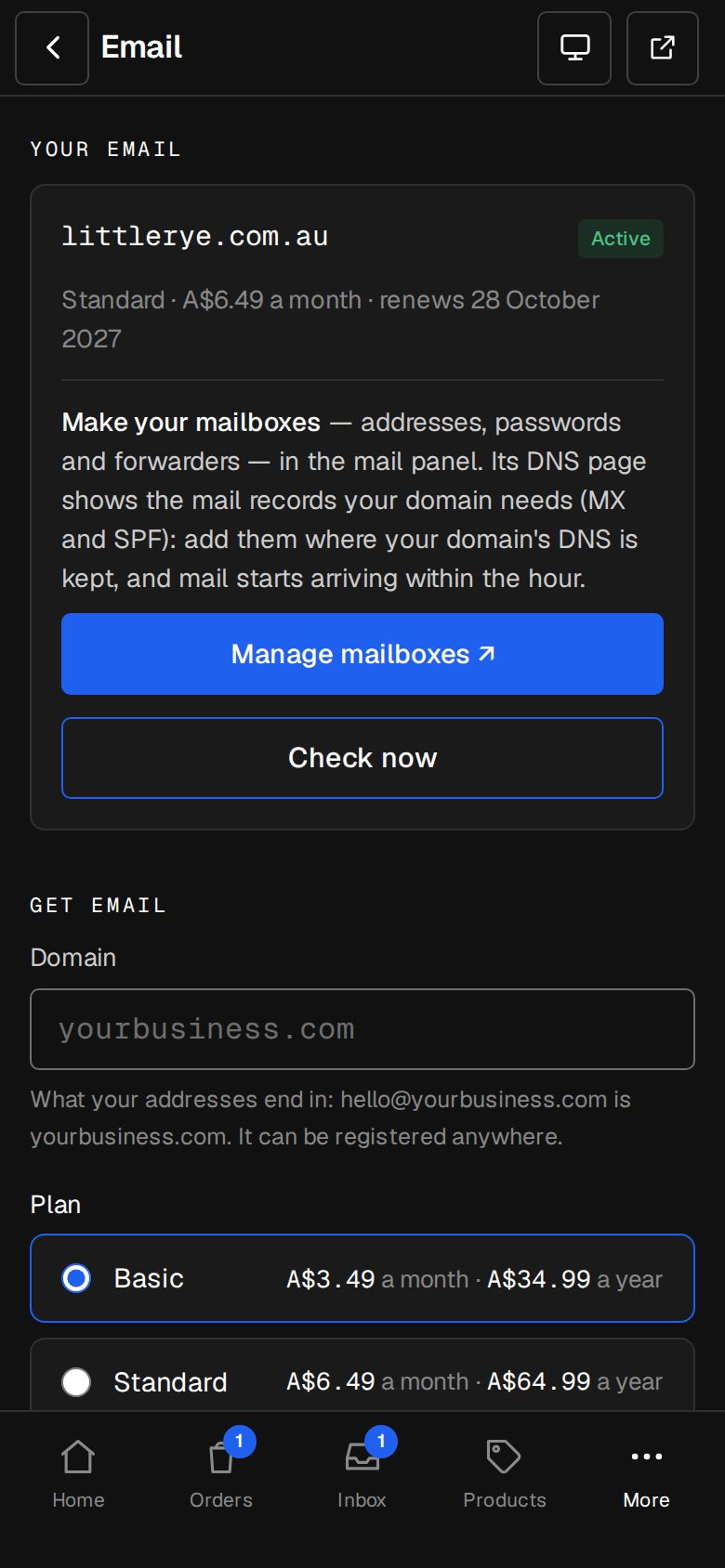
Open Settings, then Email
On a phone, tap More, then Settings, then Email. Your email shows Active.
Tap Manage mailboxes
It opens the mail panel in a new tab, signed in for you. If you haven't set up an authenticator app, you're asked to first.
Make your mailboxes
Add each address, like hello@ or accounts@, with its password. Forwarders send one address's mail on to another.
Find the mail records
In the mail panel, open its DNS page. It shows the MX and SPF records your domain needs.
Add them to your domain
Add both where your domain's DNS is kept: your registrar, or Cloudflare if you use it. If your domain is with o/i, ask us through Get help and we'll add them.
Send yourself a test
Mail usually starts arriving within the hour once the records are in.
Good to know
- Each tap of Manage mailboxes signs you in afresh. The link isn't kept, so it can't be forwarded.
- If the panel doesn't open, the email may not be active yet: tap Check now, then try again.
- Set the addresses up in your phone's mail app or on a computer with the details the mail panel shows.
Questions
Will this break my website?
No. MX and SPF are only for mail. Your site's records stay as they are.
I already have an SPF record.
A domain has one SPF record. Add the mail panel's part to the one you have rather than adding a second.
Was this helpful?