
Help/Inbox & contacts/Import your customers
Import your customers
Moving from another shop? Bring your customers across from a CSV. Shopify's customer export works as it is, and so does any spreadsheet with an Email column. You see what will happen before anything changes.
2 minutesOwners and ManagersWorks on a phone
Export your customers
In Shopify, export your customers as a CSV. From another tool or a spreadsheet, save a CSV with an Email column. Names, phone, tags and the address come across where there are columns for them.
Open Contacts, then Import
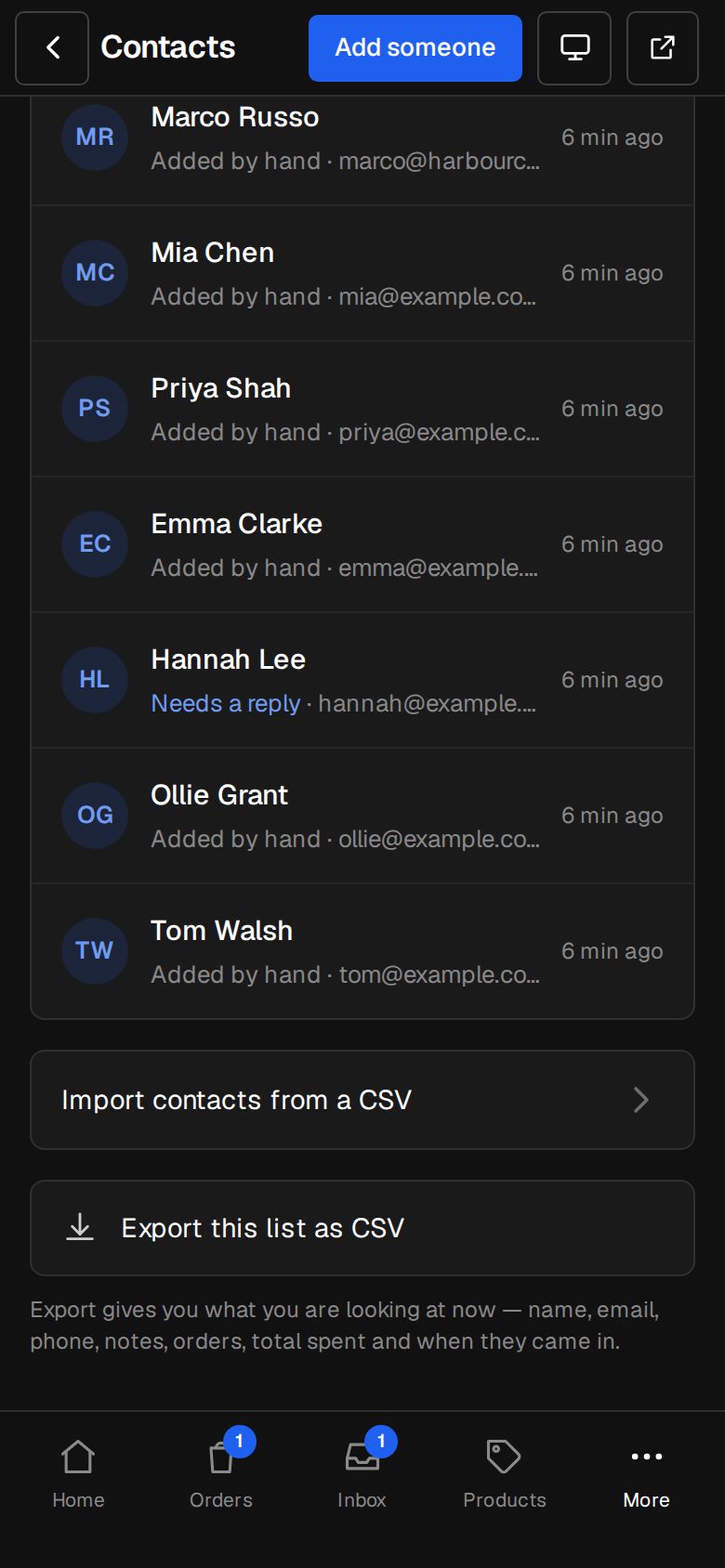
On a computer, choose Contacts in the sidebar. On a phone, tap More, then Contacts. At the bottom, tap Import contacts from a CSV.
Pick the file
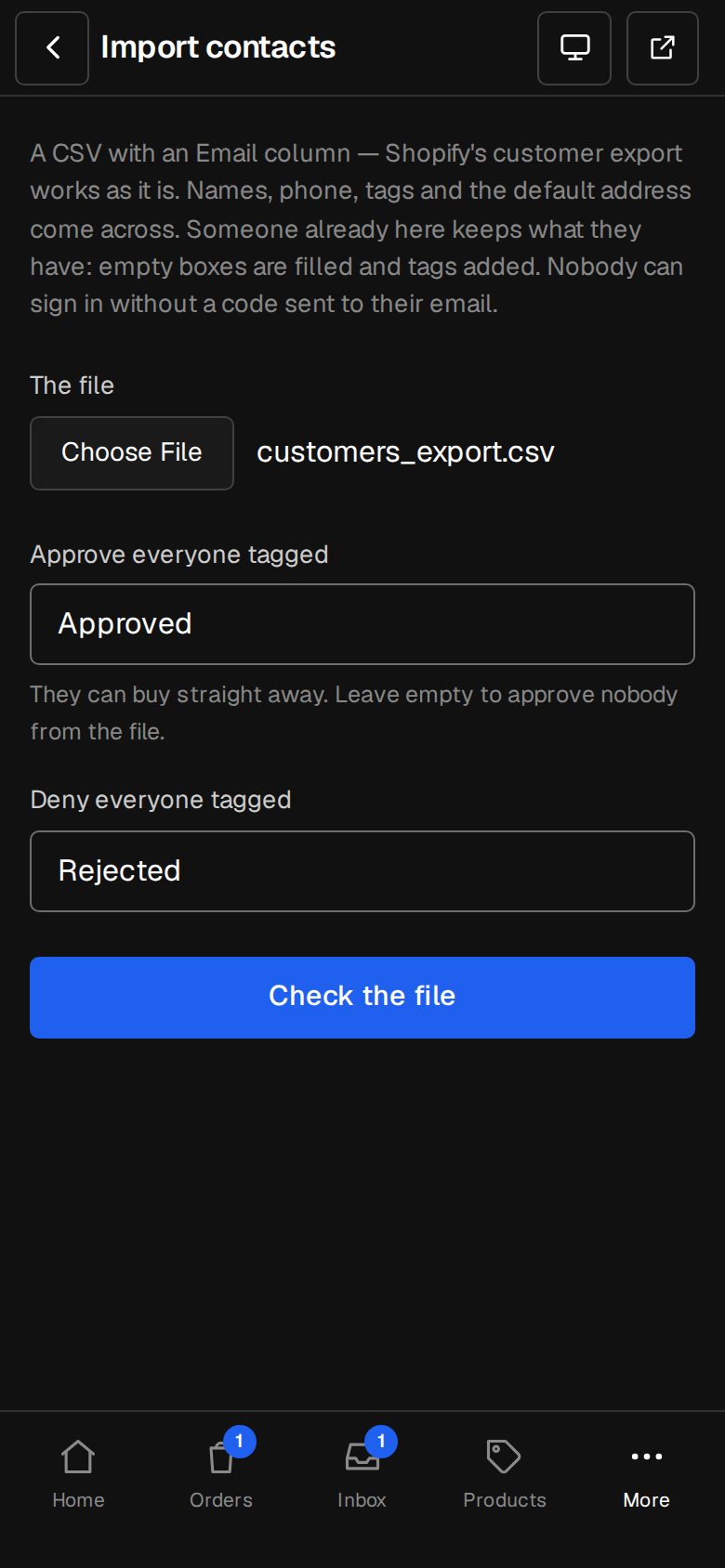
Under The file, choose your CSV. Up to 5,000 people and 4 MB in one file.
Set the approval tags, with Customer approval
With the Customer approval add-on, Approve everyone tagged starts as Approved and Deny everyone tagged as Rejected. Change them to match your tags, or empty the first to approve nobody from the file.
Check the file
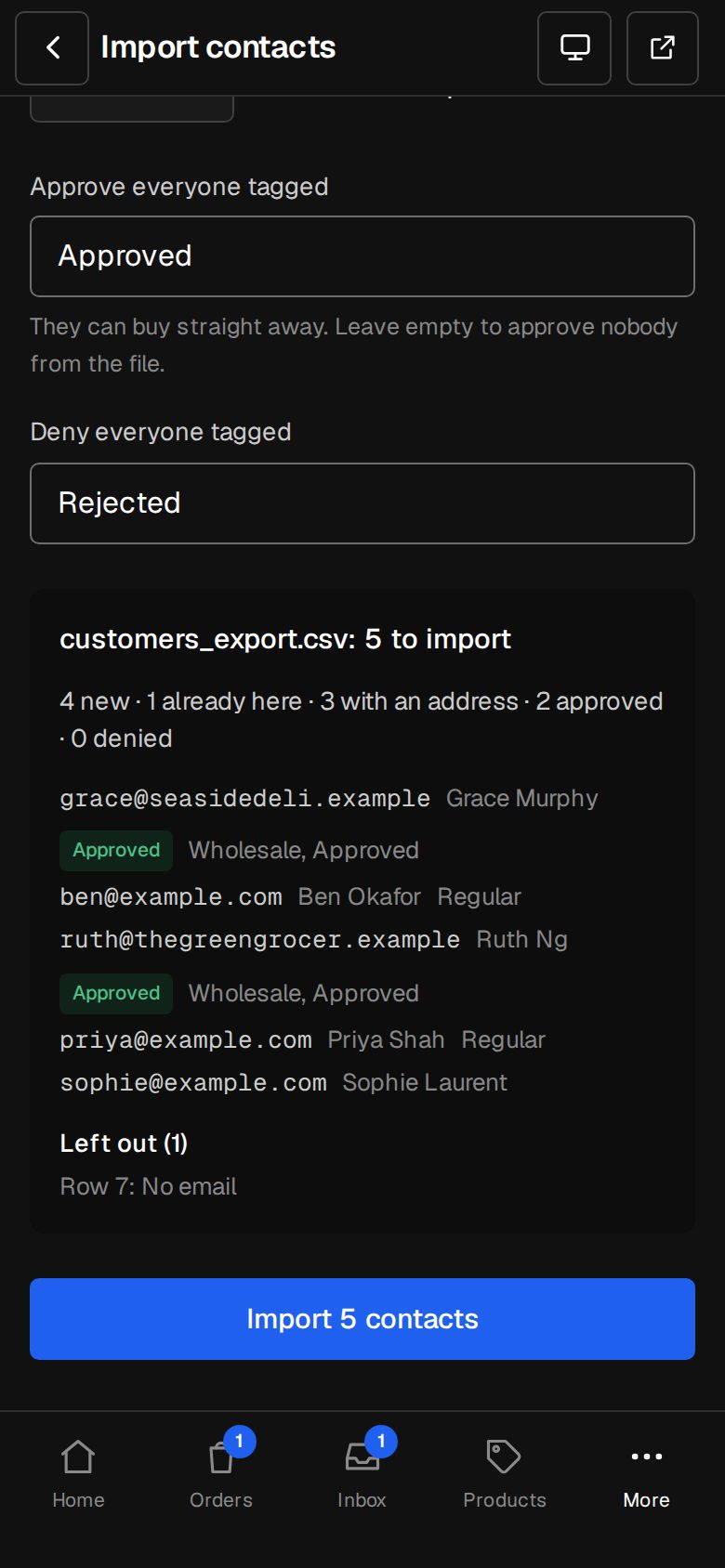
Tap Check the file. It shows how many are new, already here and with an address (and approved or denied), the first few people, and each row Left out and why: no email, not an email address, or in the file twice.
Import
Tap Import, with the number of contacts on it. The file goes in whole or not at all. Then See your contacts.
Good to know
- Someone already here keeps what they have. An empty name or phone is filled in, and their tags are added, up to 20.
- A row with a street address and a country gets a customer account holding it as their default delivery address. They still sign in with a code sent to their email, so nobody gets in from a spreadsheet.
- A tag that matches approves or denies them, even if they stood differently before. Tagged both, they're denied.
- The file isn't kept. The import is in Activity.
Questions
Should I import contacts or orders first?
Contacts first, so names, tags and addresses are already here. Then Import past orders.
Does a Company column come across?
No. The import reads email, name, phone, tags and the address. Pick a company on each contact's page instead.
Was this helpful?