
Help/Quotes & invoices/Set up invoicing
Set up invoicing
With invoicing, you send your own customers quotes, invoices and receipts from the admin, each as an email with a PDF and a link to view it. Before the first one goes, tell o/i how you charge tax, how customers pay you, and how your numbers look.
Invoicing is an add-on. If you can't see Invoices, an Owner can add it under Settings · Plan, in Add to your plan. Managers can then make and send quotes and invoices.
2 minutesOwners only, with the authenticator appWorks on a phone
Check who it's from
Quotes and invoices carry your trading name and business number from Settings · Business profile, and the logo from Branding. Fill those in first.
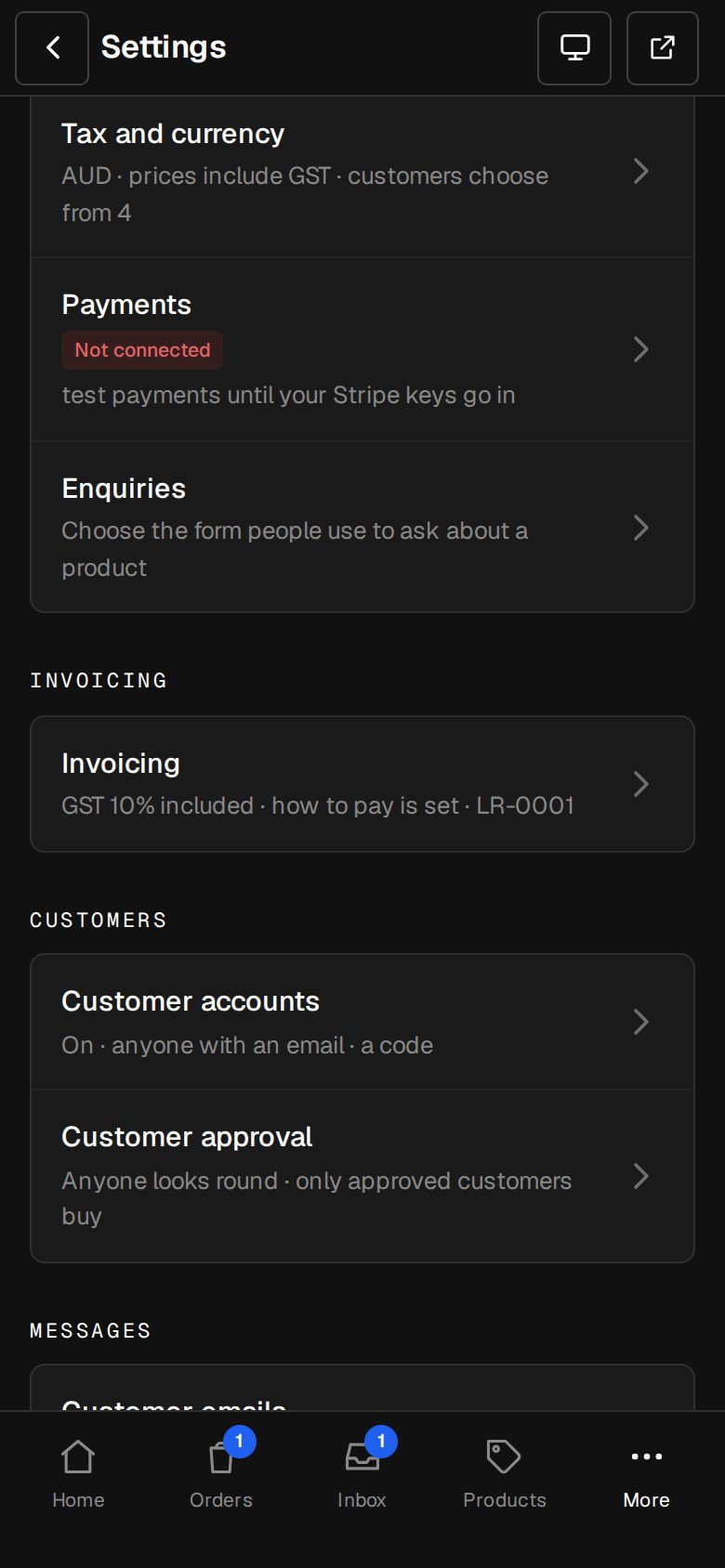
Open Settings, then Invoicing
On a computer, choose Settings in the sidebar. On a phone, tap More, then Settings. Invoicing has its own group. If you haven't set up an authenticator app yet, you're asked to first, because this screen holds where customers send money.
Set the tax
Turn on Add tax to quotes and invoices if you're registered for GST, VAT or the like. Invoices then read Tax invoice. Fill in It's called, Rate (%) and Prices you type: Have tax added, or Already include it.
Say how customers pay
Under How customers pay, type your bank, account name and number, PromptPay or PayID as you'd write it. It's printed on every invoice, with the invoice number under it as their reference.
Choose the timing
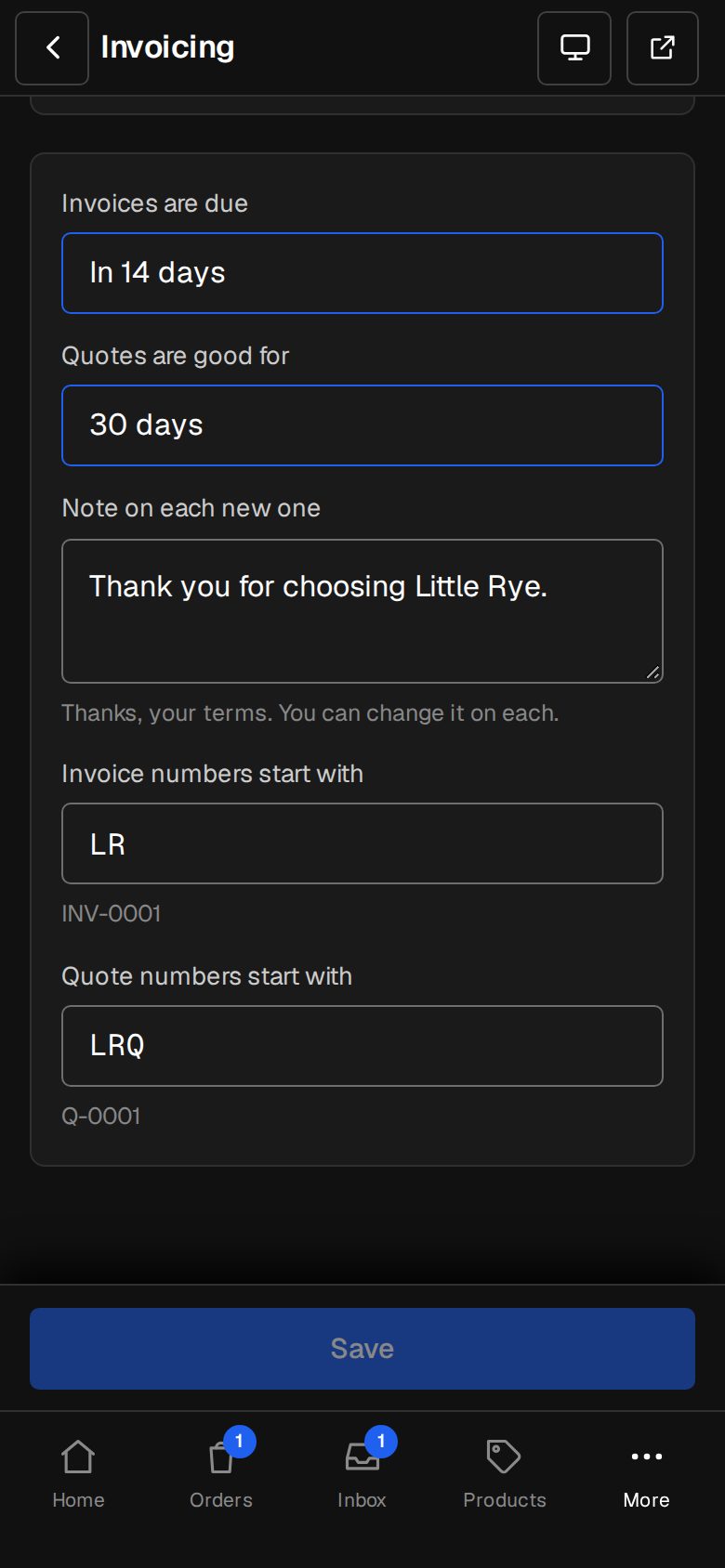
Pick when Invoices are due (On receipt, or in 7, 14 or 30 days) and how long Quotes are good for (14 to 90 days). Add a Note on each new one, such as thanks or your terms. You can change all three on each document.
Set your numbers and save
Invoice numbers start with and Quote numbers start with set the letters, up to six, before each number: INV-0001 and Q-0001 to begin with. Tap Save.
Good to know
- Numbers run on their own, one after another, from the first one you send.
- To let customers pay by card from their link, connect Stripe on Settings · Payments (see Connect Stripe).
- Until a draft invoice has payment details to print, it shows a reminder to add them here.
- On a free trial, quotes and invoices can be made but not emailed until your plan is paid for.
Was this helpful?