
Help/Look & feel/Add WhatsApp, LINE and other chat apps
Add WhatsApp, LINE and other chat apps
Let people message you in the app they already use. Add WhatsApp, LINE, Messenger, Telegram, WeChat, Viber or KakaoTalk to your Business profile, and each one you fill in shows on your site as a way to reach you, opening the app straight to you.
2 minutesOwners and ManagersWorks on a phone
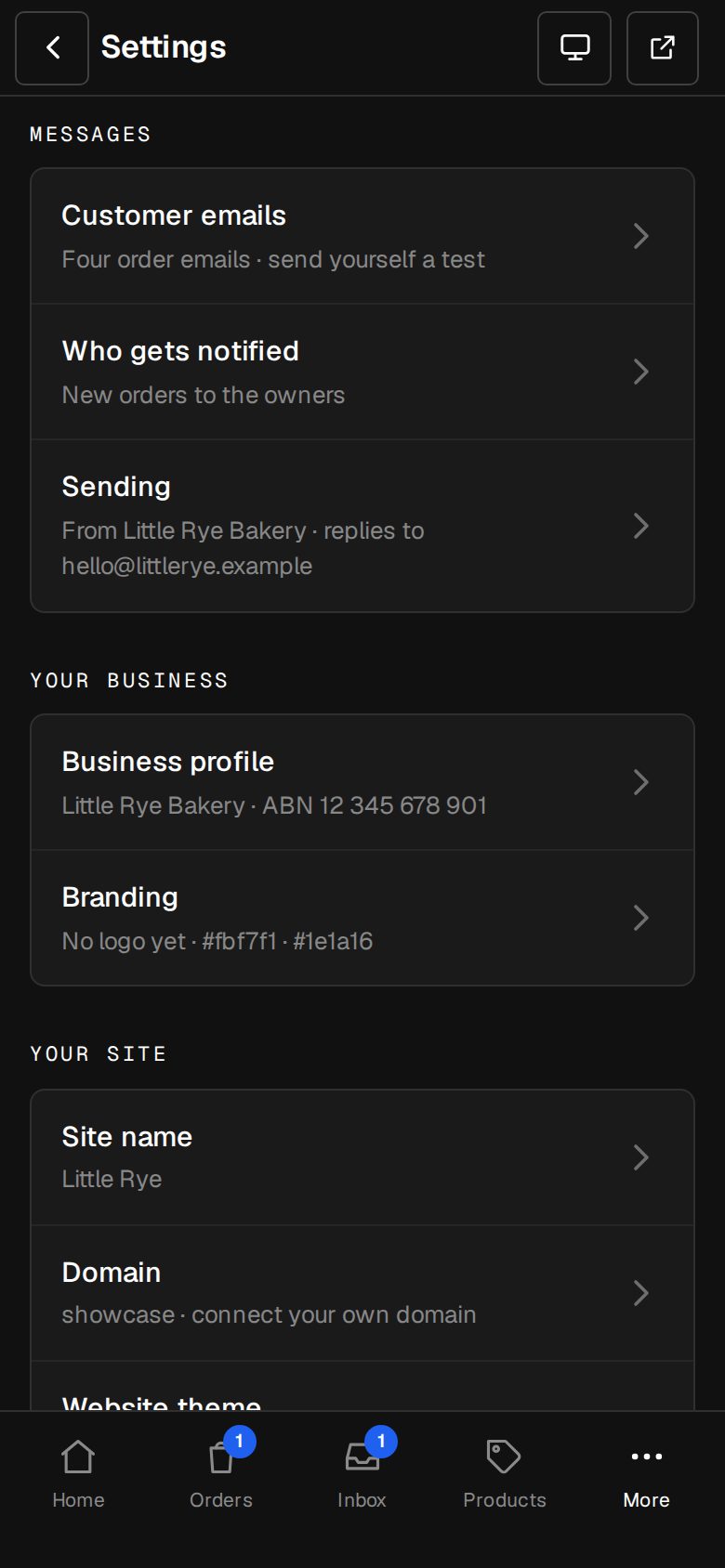
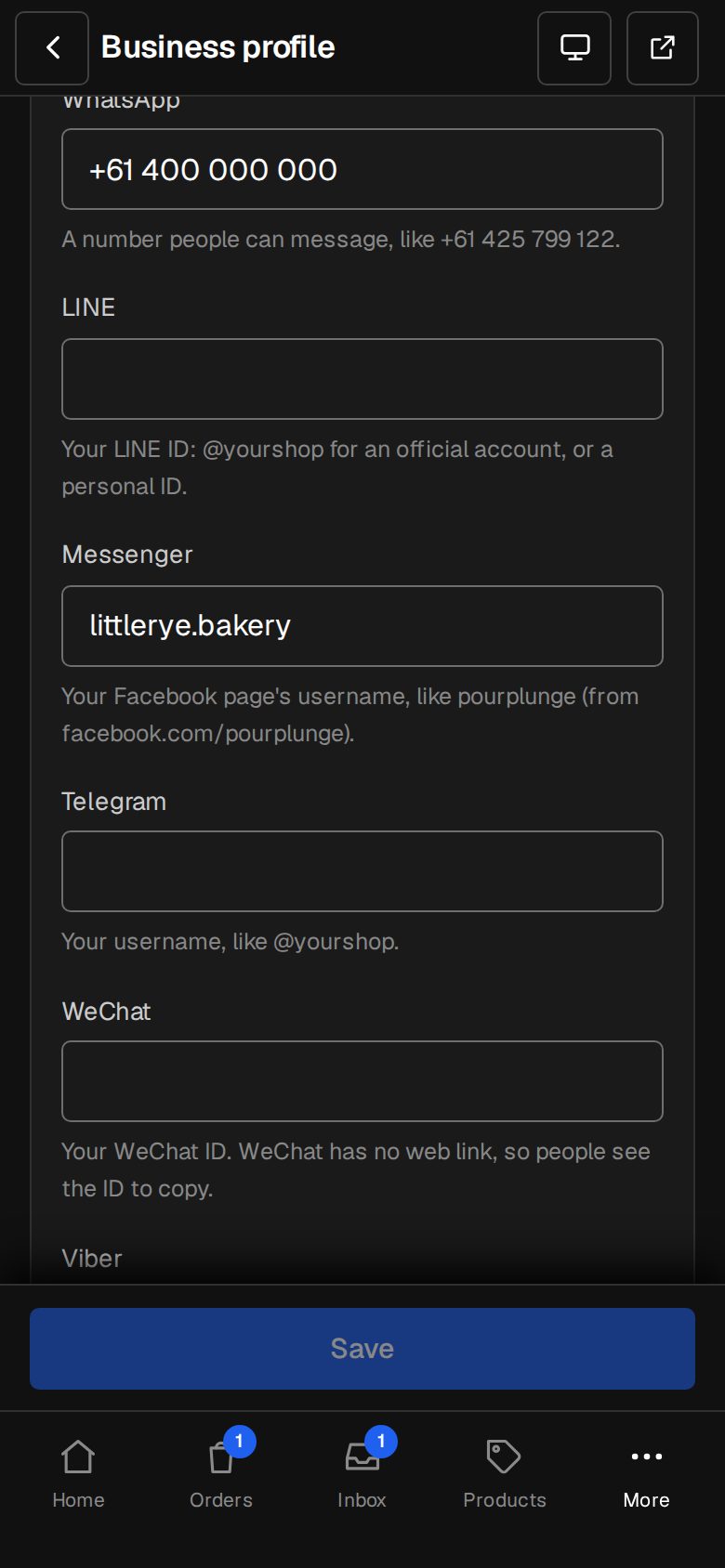
Open Settings, then Business profile
On a computer, choose Settings in the sidebar. On a phone, tap More, then Settings. Business profile is under Your business.
Find Chat apps
It's under Phone and Email. Every box is optional.
Fill in the ones you use
WhatsApp and Viber: a number people can message, with its country code. LINE: your LINE ID, @yourshop for an official account, or a personal ID. Messenger: your Facebook page's username. Telegram: your username, like @yourshop. WeChat: your WeChat ID. KakaoTalk: the link to your channel or open chat, starting https://pf.kakao.com or https://open.kakao.com.
Save
Tap Save at the bottom of the screen.
See where they show
In the thin bar of the Two rows header, as Chat on WhatsApp and so on (Settings · Header). In the menu on a phone. In a Contact details section, with its Chat apps switch on.
Add them as cards, if you like
In a Form section laid out as Words beside the form, add a way to reach you and pick the app under What it is. A card for an app you haven't filled in isn't shown.
Good to know
- WeChat has no web link, so it isn't in the top bar or the phone menu. In a Contact details section or on a card, its ID is shown for people to copy.
- Paste a facebook.com, m.me or t.me link if that's easier: it's trimmed to the username for you.
- Everything here is public, so only add accounts you're happy for anyone to message.
Was this helpful?