
Help/Look & feel/Give your site a tab bar on phones
Give your site a tab bar on phones
On a phone, your site can feel like an app: up to four tabs along the bottom of the screen, like the ones in this admin, with Menu last to open your whole menu. A computer keeps the usual header.
2 minutesOwners and ManagersWorks on a phone
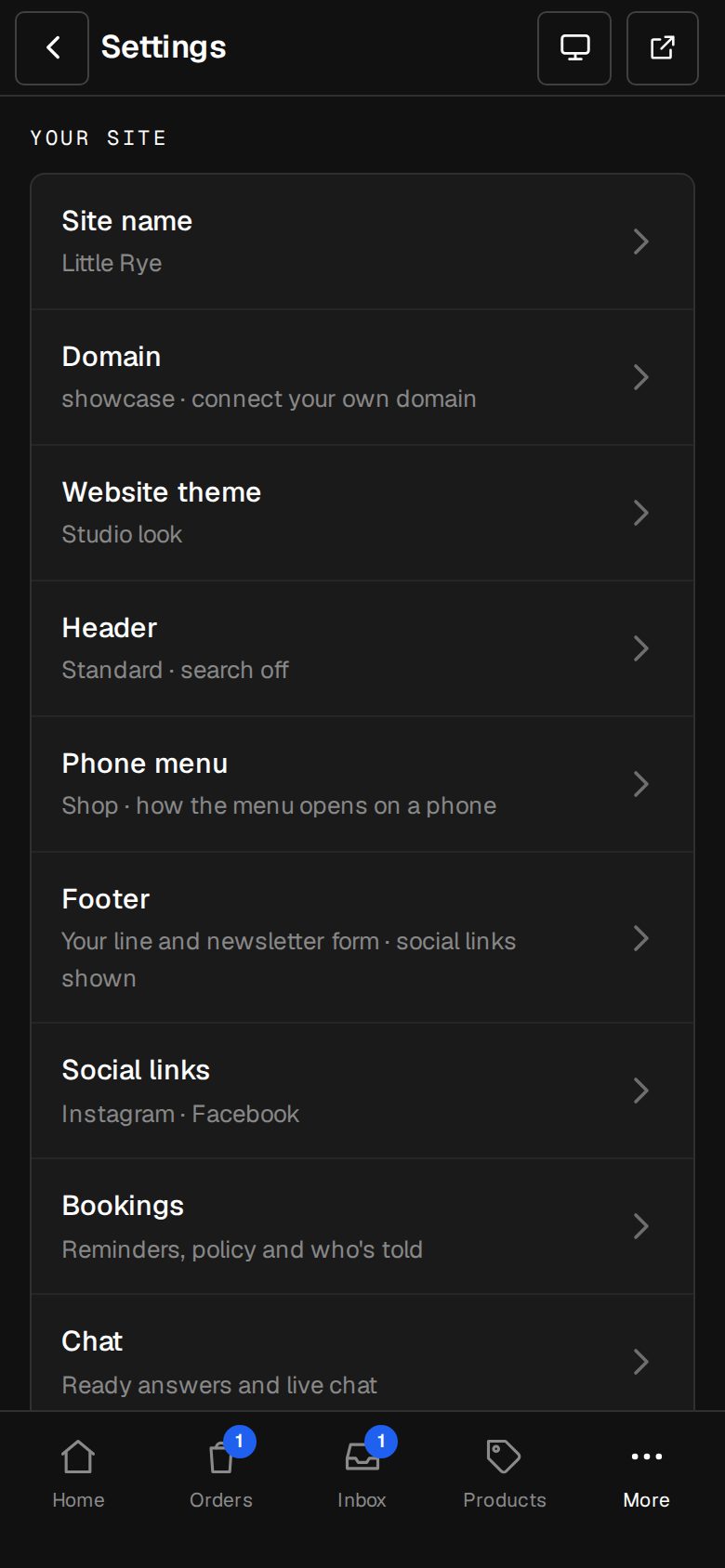
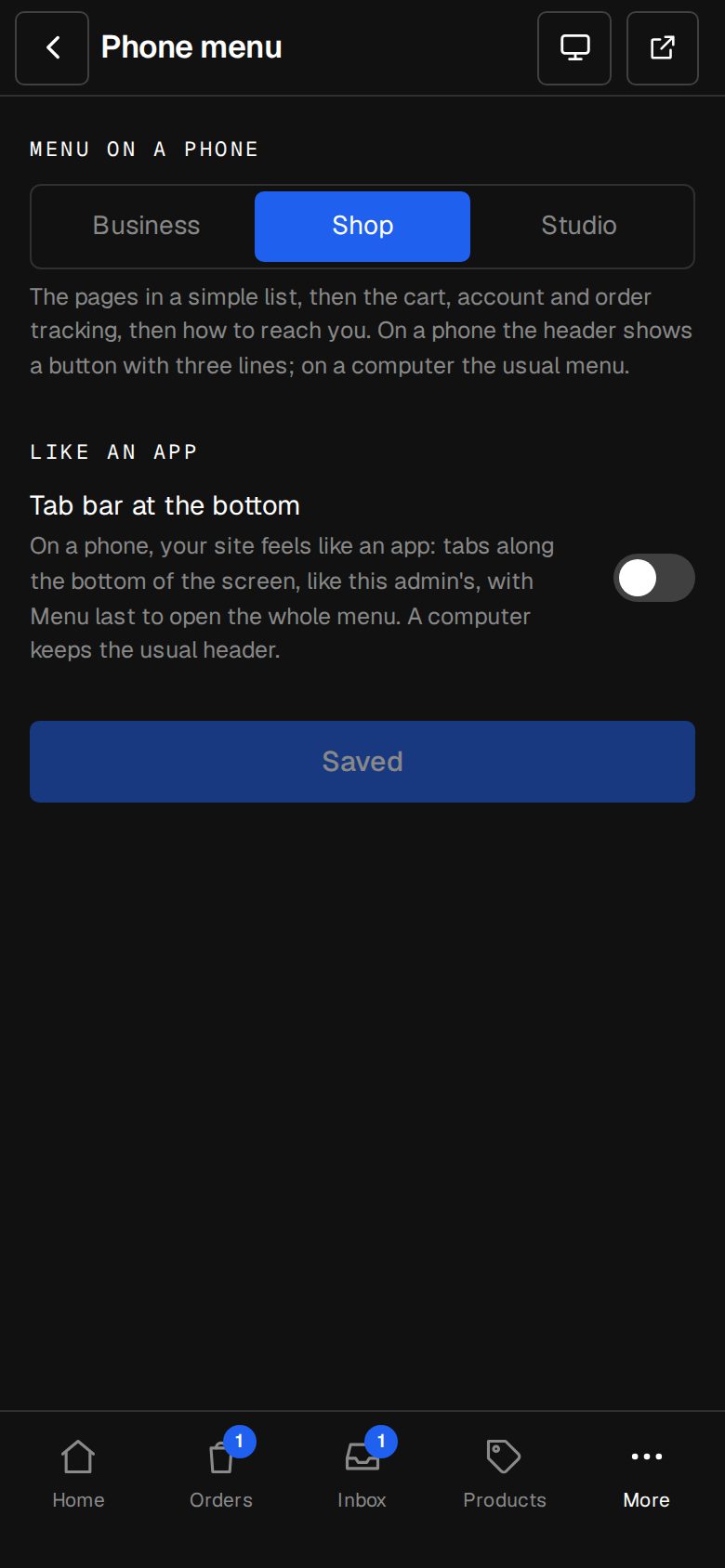
Open Settings, then Phone menu
On a computer, choose Settings in the sidebar. On a phone, tap More, then Settings. Phone menu is under Your site.
Turn on the tab bar
Under Like an app, switch on Tab bar at the bottom.
Choose its tabs
Under Its tabs, The main menu uses the first four items of your Header menu. Or pick a menu you've made in Content, then Menus.
Save
Tap Save phone menu. The button reads Saved when it's done.
Make a menu for the tabs, if you like
In Content, then Menus, tap Add menu, give it a Menu name like Tabs and tap Create menu. Add up to four items. Under Menu settings, set Where it shows to The phone's tab bar. That turns the tab bar on and uses this menu.
Try it on your phone
Each tab gets an icon from where it goes: home a house, the shop a bag, Contact a speech bubble, the journal a book, the account a person. The tab for the page you're on is picked out in your accent colour.
Good to know
- Only the first four items become tabs. Menu is always last, and opens the phone menu in the style chosen above it, under Menu on a phone.
- Short labels fit best: each tab has one line.
- One menu at a time can be the tab bar. A menu used for it isn't a footer column.
Was this helpful?