
Help/Look & feel/Choose your fonts
Choose your fonts
Your site uses three fonts: one for headings, one for everything people read, and one for small labels, prices and specs. Pick each from a short list. They're served from our own servers, so nothing is fetched from Google, and a font only loads on pages that use it. The admin keeps its own fonts.
2 minutesOwners and ManagersWorks on a phone
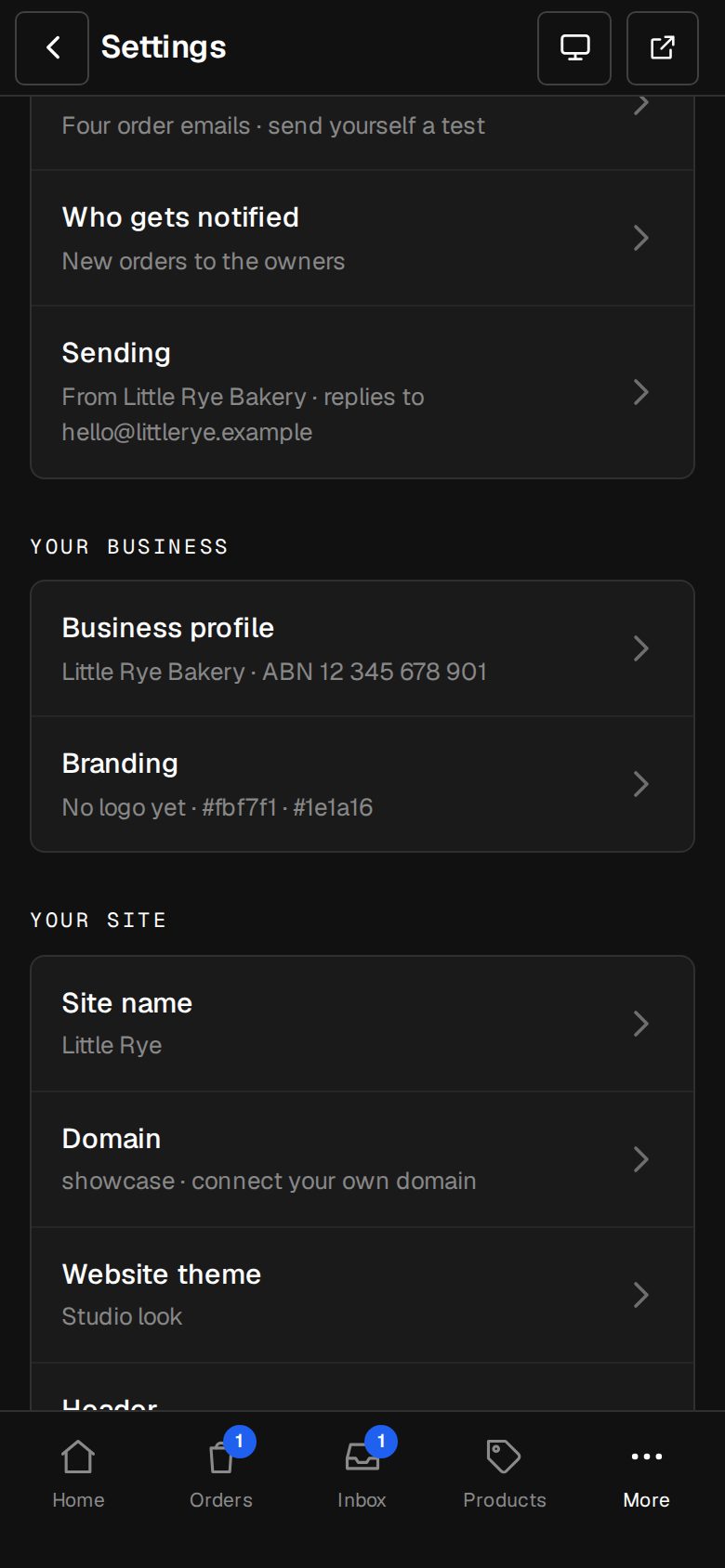
Open Settings, then Branding
On a computer, choose Settings in the sidebar. On a phone, tap More, then Settings. Branding is under Your business.
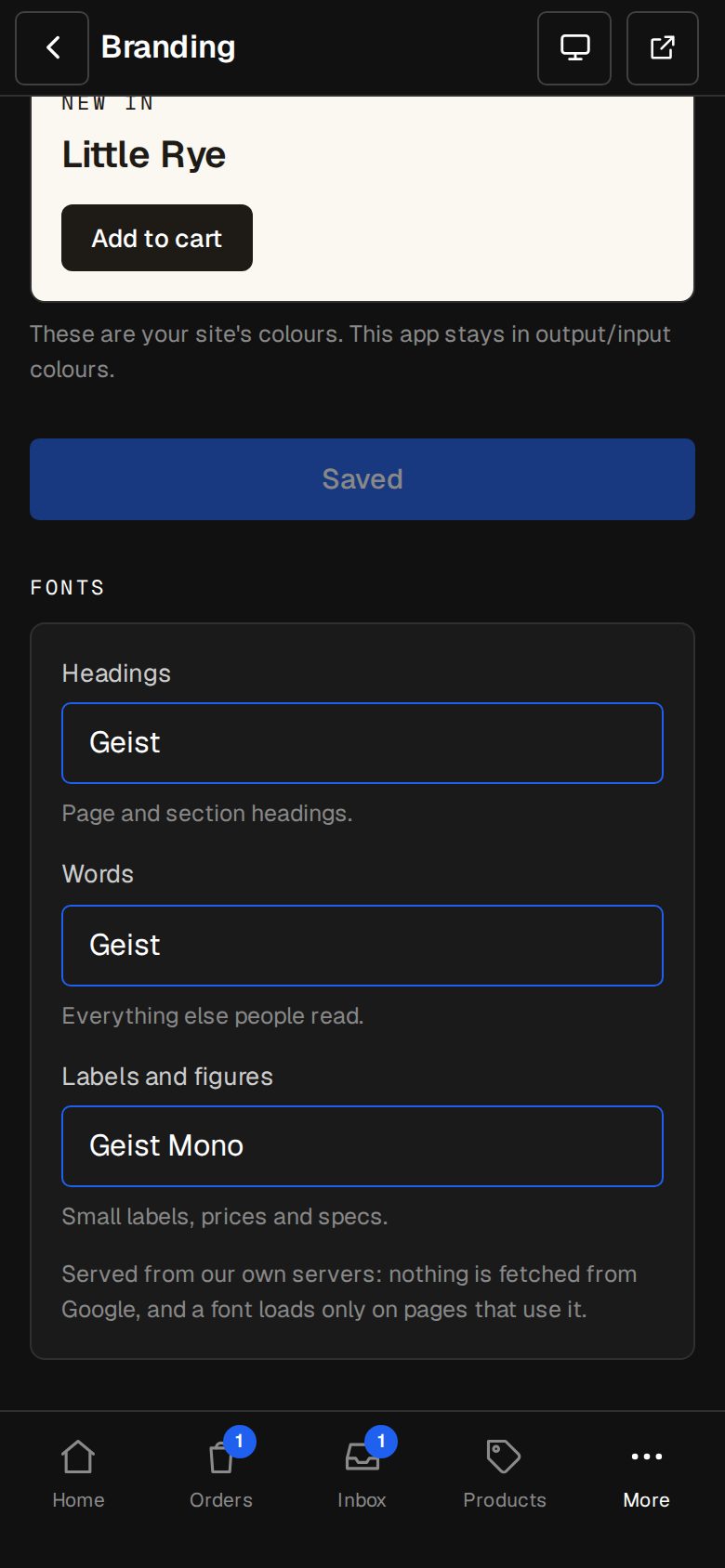
Find Fonts
It's at the foot of the Branding screen, under the colours.
Pick the Headings font
For page and section headings: Geist, Hanken Grotesk, Inter, Gowun Batang (serif) or Fraunces (serif).
Pick the Words font
For everything else people read: Geist, Hanken Grotesk or Inter.
Pick Labels and figures
For small labels, prices and specs: Geist Mono or IBM Plex Mono.
Look at your site
Each choice saves as soon as you pick it, and Saved shows under the list. Tap View site at the top of the screen to see it on your pages.
Good to know
- Every site starts on Geist, with Geist Mono for labels and figures.
- Fonts save on their own. Save branding is only for the logo, favicon and colours above.
- A serif heading with Geist or Inter words is an easy way to look a little more classic.
- With the Translator add-on, Thai pages add a Thai font after yours, so Thai words read properly.
Questions
Can I use a font that isn't on the list?
Not from this screen. The list is what's offered for now. If your brand needs another, tell us through Get help.
Was this helpful?