
Help/Look & feel/Show your Instagram feed
Show your Instagram feed
Show your latest Instagram posts on any page, with your profile and a Follow button. They keep themselves up to date, and the pictures are kept on your site, so your pages never wait on Instagram.
The Instagram feed is a free add-on. An Owner adds it on Settings · Plan, under Add to your plan. It needs an Instagram Business or Creator account.
Only an Owner connects or disconnects the account.
2 minutesOwners and ManagersWorks on a phone
Switch Instagram to a professional account
If it isn't already, open the Instagram app, go to Settings, then Account type and tools, then Switch to professional account. It's free.
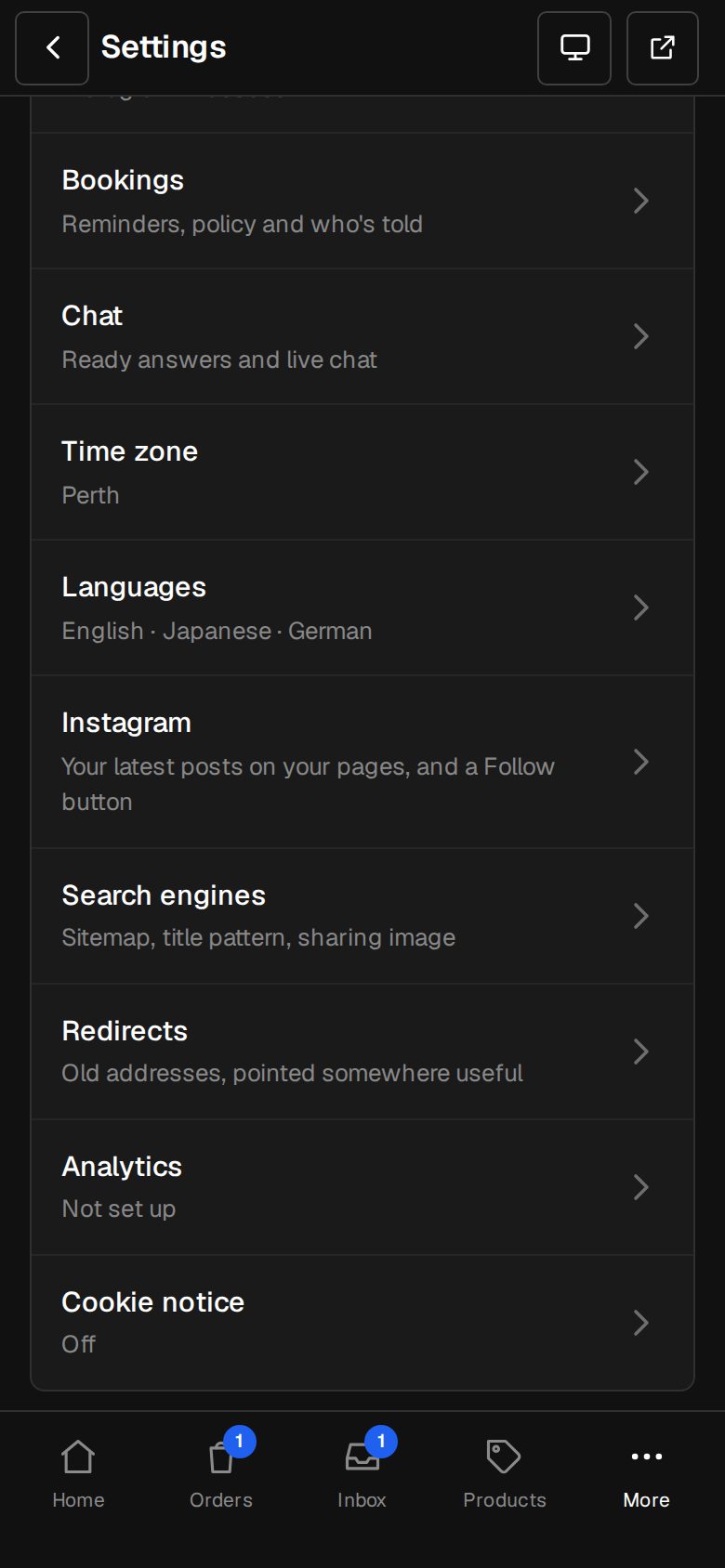
Open Settings, then Instagram
On a computer, choose Settings in the sidebar. On a phone, tap More, then Settings. Instagram is under Your site.
Connect it
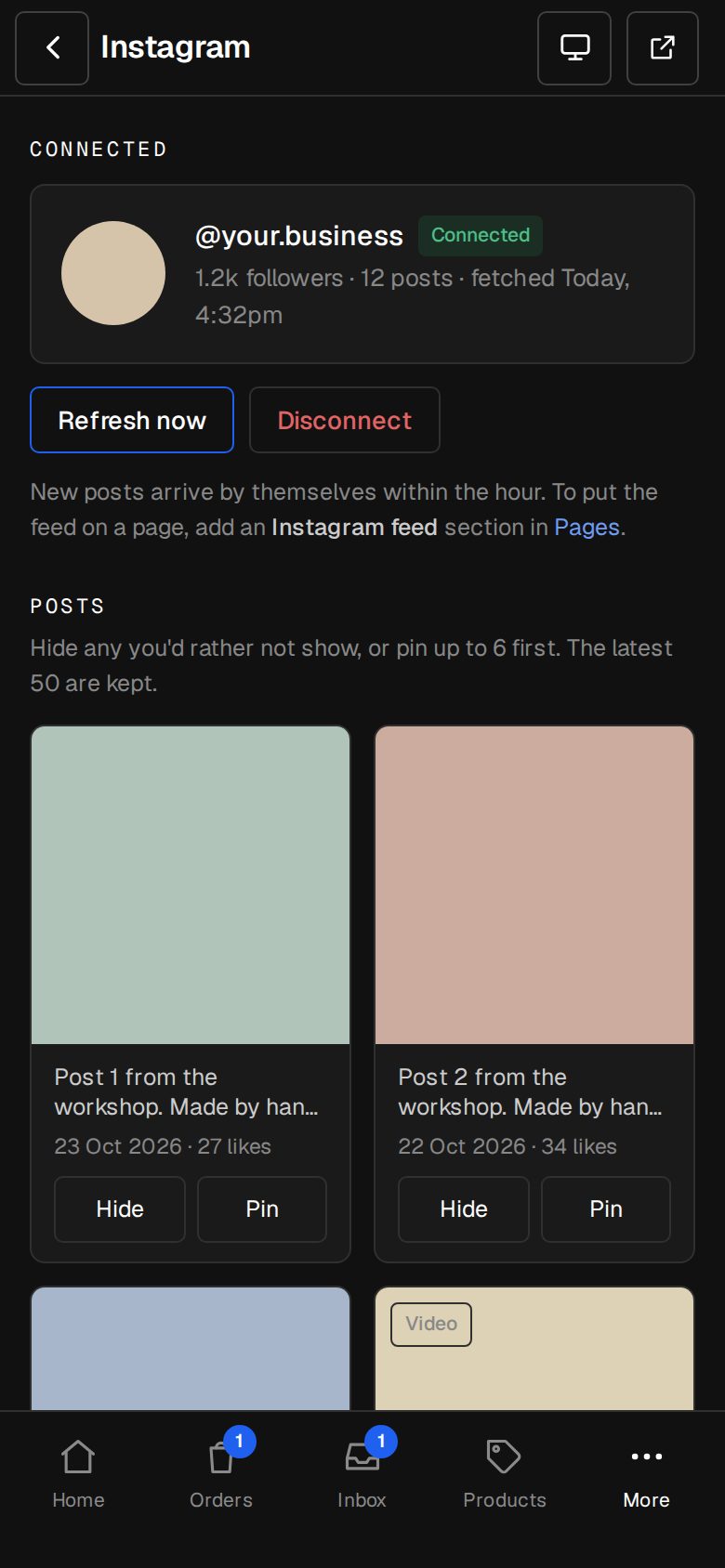
Tap Connect Instagram, sign in to Instagram and allow it. You come back to Connected. Your latest posts are in.
Choose which posts show
Under Posts, tap Hide on any you'd rather not show, or Pin to put up to six first. Each choice saves at once. The latest 50 posts are kept.
Put the feed on a page
In Content, then Pages, open a page and add an Instagram feed section. Choose a Grid or Scrolls sideways, how many posts across on a computer and how many at first, and whether to show the Profile above the posts and a Load more button.
Word the Follow button
Change the Follow button words, or leave them empty to hide it. Then publish the page as usual.
Good to know
- New posts arrive by themselves within the hour. Refresh now fetches them straight away.
- A post deleted on Instagram goes from your site too.
- If Instagram stops sharing your posts, the screen says Needs connecting again and Owners are emailed. Your site keeps the posts it has until an Owner taps Connect again.
- Disconnect removes every post from your site, and feed sections show nothing until it's connected again. Your Instagram itself stays as it is.
Was this helpful?