
Help/Shop/Quote freight for oversized items
Quote freight for oversized items
Some things are too big for a courier's usual rates, like a bath or a sauna. Mark them Oversized, and where you have no rate that takes them, checkout can ask for a freight quote instead of turning the customer away. You price the delivery and send them a quote.
The shop is an add-on. If you can't see Orders or Products, an Owner can add it under Settings · Plan, in Add to your plan.
2 minutesOwners and ManagersWorks on a phone
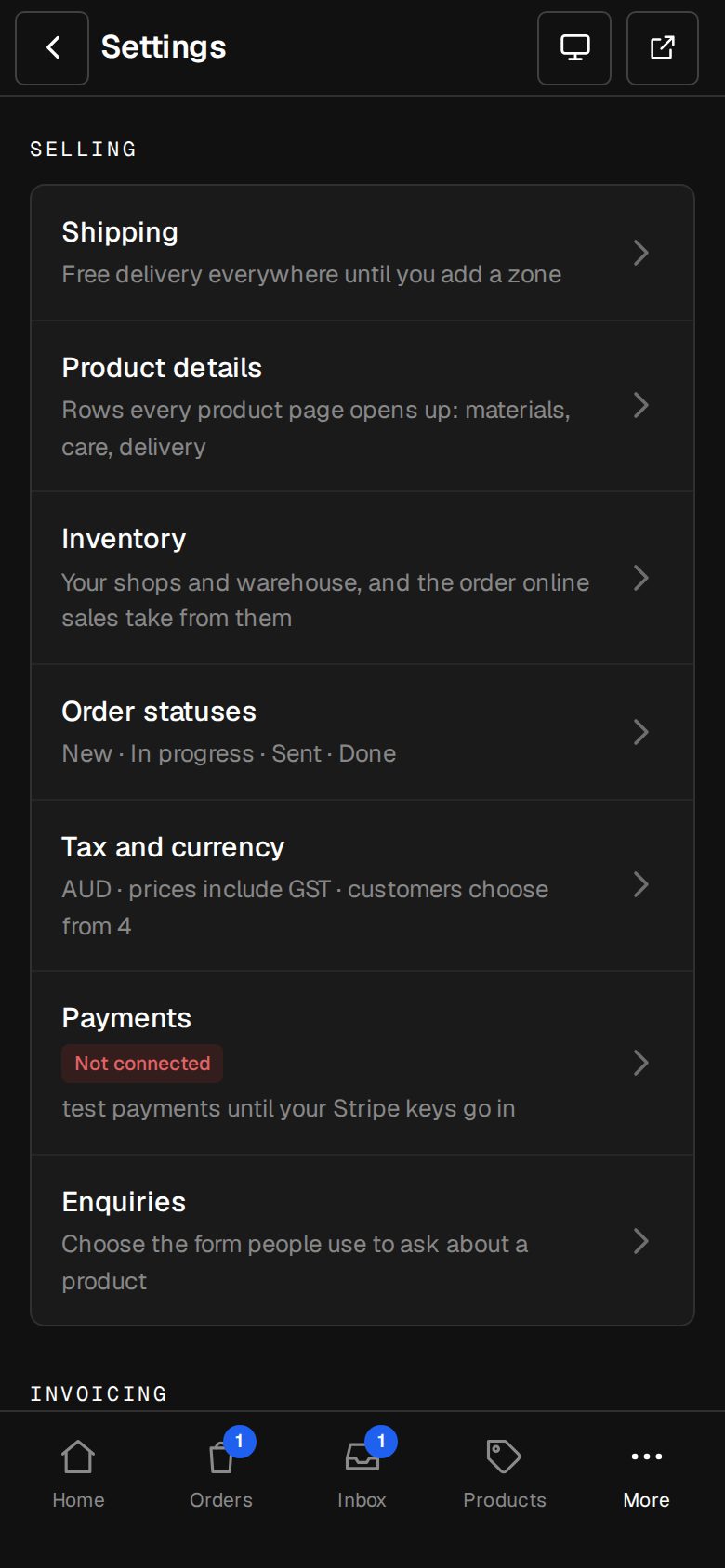
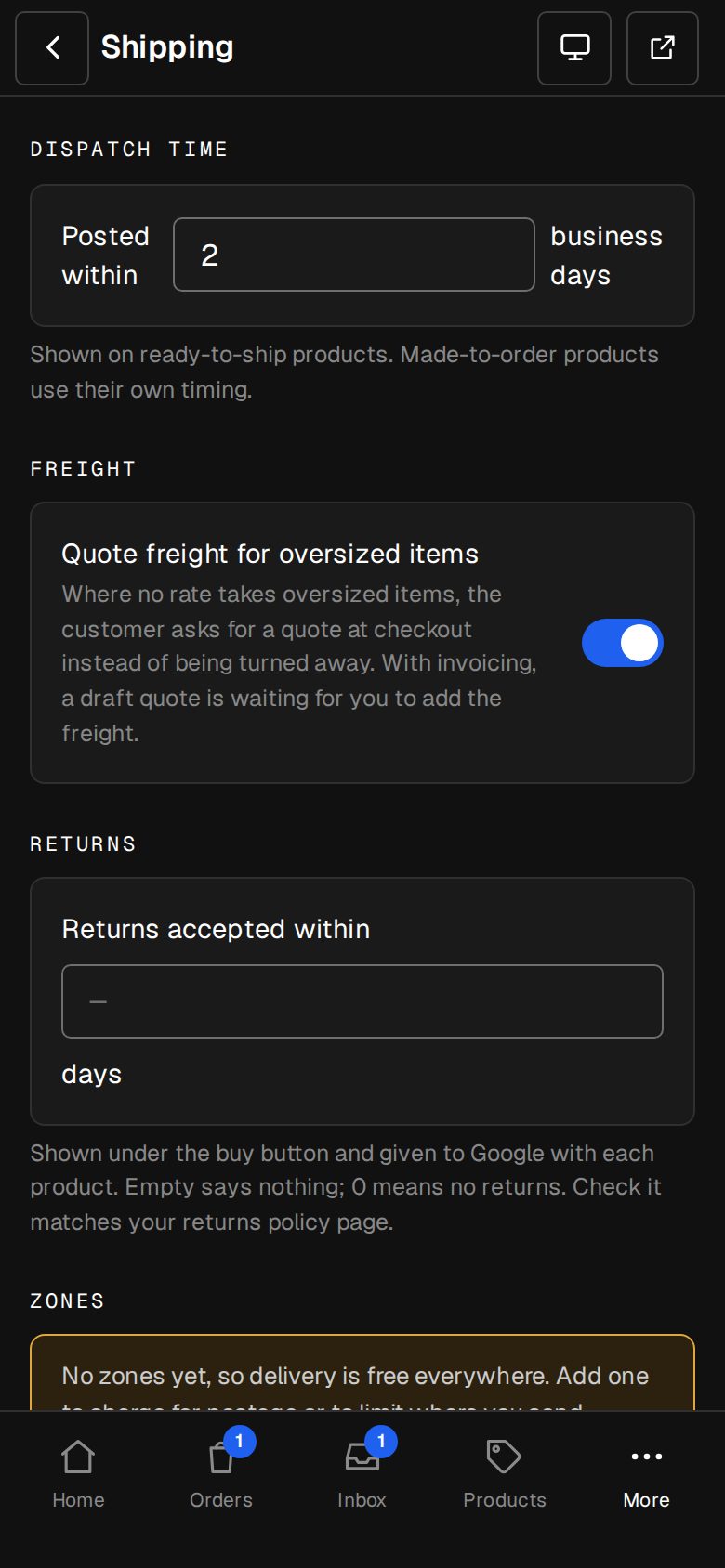
Choose an enquiry form
Quote requests arrive through it. Open Settings, then Enquiries (on a phone, tap More, then Settings) and choose the form.
Mark the product Oversized
Open the product from Products. Under Details, turn on Oversized. Only rates that take oversized items are offered for it.
Turn on freight quotes
Open Settings, then Shipping, under Selling. Under Freight, turn on Quote freight for oversized items.
Keep any rates that can take it
In a zone where you can deliver big items at a set price, open the rate and turn on Takes oversized items. Zones without one, and without pickup, go to a quote.
Save
Tap Save shipping.
What happens at checkout
Once they give their address, checkout reads: This goes by freight. We'll work out delivery to their country and send you a quote. The button becomes Ask for a quote, and nothing is charged now.
The request lands in your Inbox with their details and cart. With the invoicing add-on, a draft quote is waiting in Invoices too: a line for each item at your price and a Delivery line at 0. Add the freight and tap Send quote. When they accept, it becomes an invoice. See An invoice for every shop sale.
Questions
Can I quote delivery for a whole country, not only big items?
Yes. Open the zone in Settings · Shipping and turn on Quote individually. You can set What they read at checkout.
What if there's no enquiry form?
Customers see the message and Get in touch and we'll sort something out, but Ask for a quote doesn't work. Choose a form in Settings · Enquiries.
Was this helpful?