
Sell in your shop
Sell in shop turns a tablet or phone into a counter. Tap what they're buying, take the money by cash, on your own card terminal, or with a QR code they pay on their phone, and the sale comes off that shop's stock. Each sale is an order in Orders, like one from your website.
Sell in shop comes with the Inventory add-on, which works inside the Shop. An Owner adds it under Settings · Plan, in Add to your plan. A Manager adds the shops in Settings · Inventory first.
2 minutesEveryone on the team, Staff includedWorks on a phone
Open Sell in shop
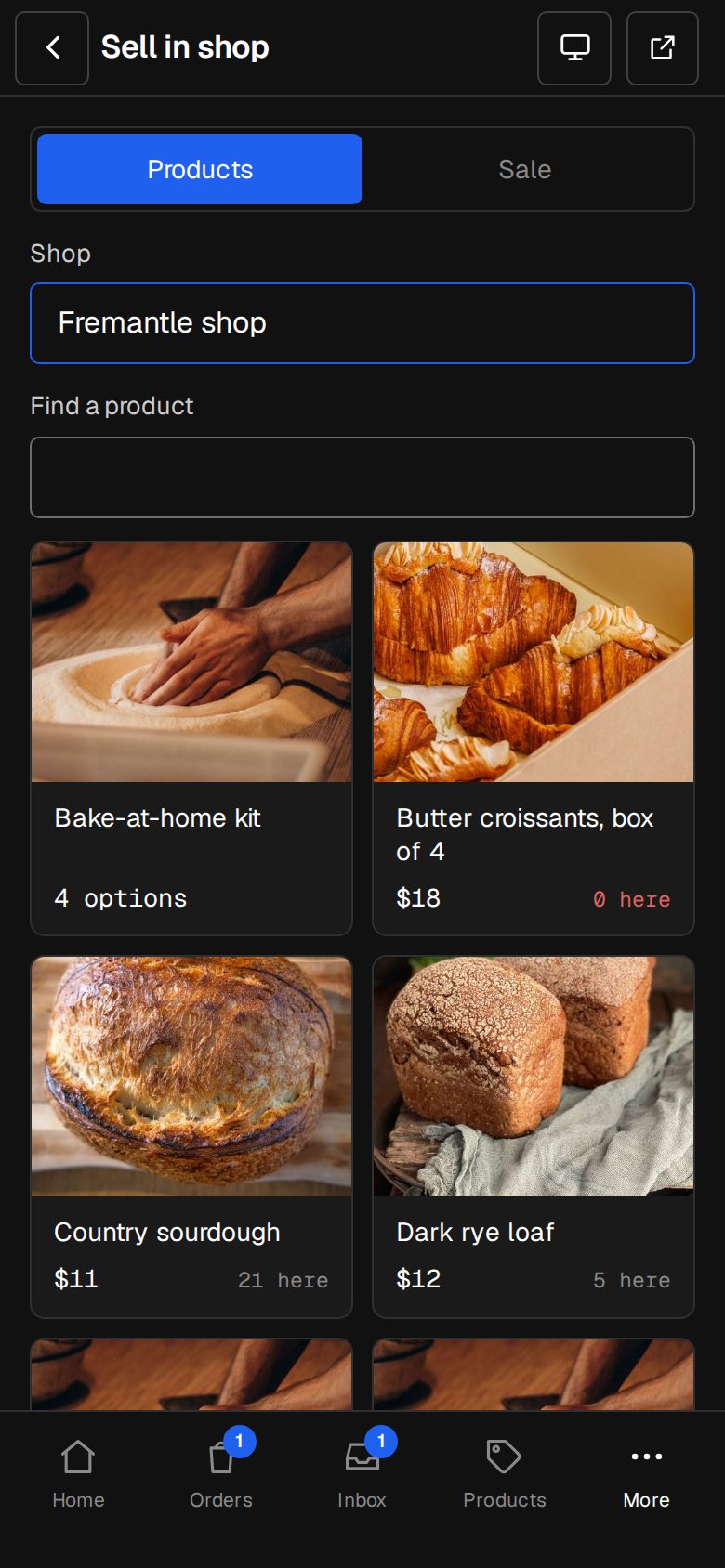
On a computer, choose Sell in shop in the sidebar. On a phone, tap More, then Sell in shop. With more than one location, pick the Shop you're in.
Add what they're buying
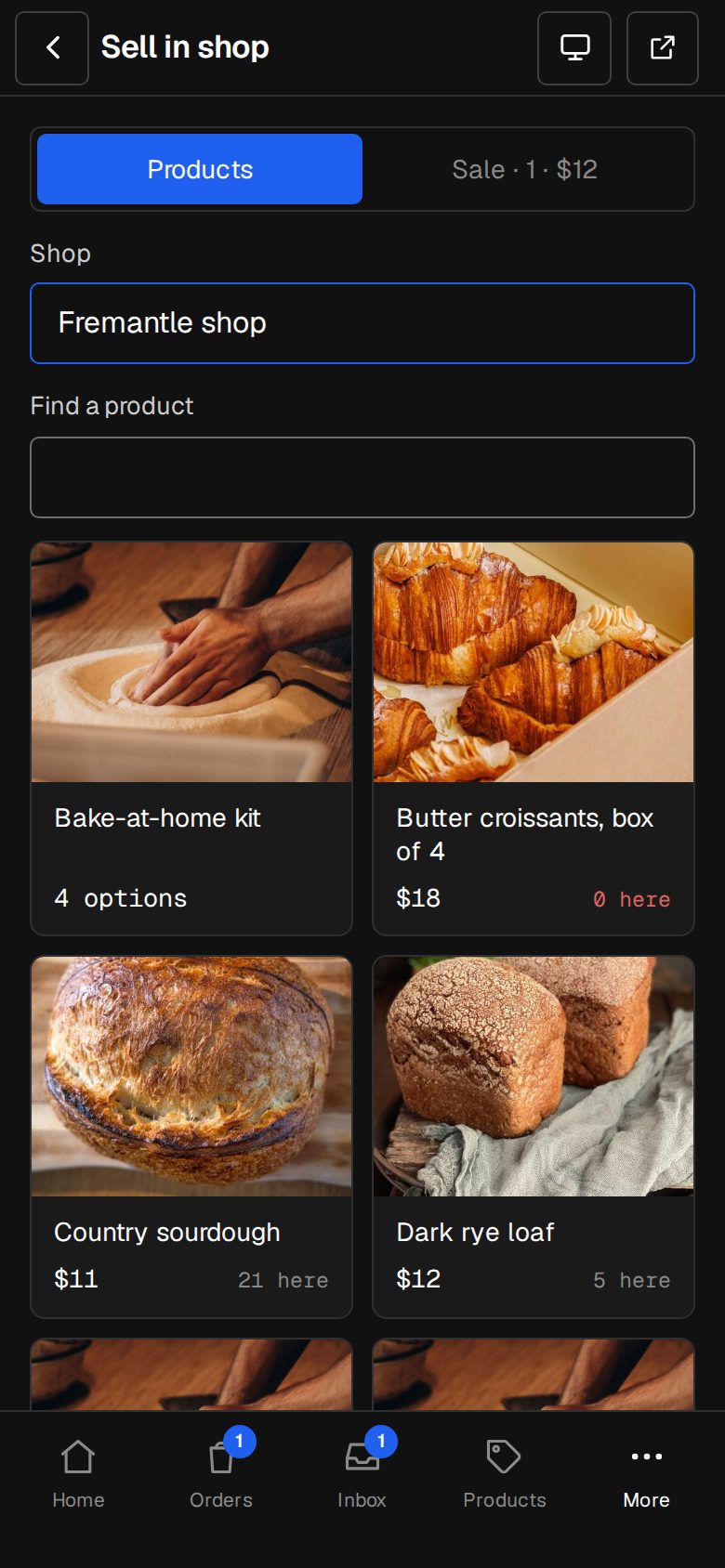
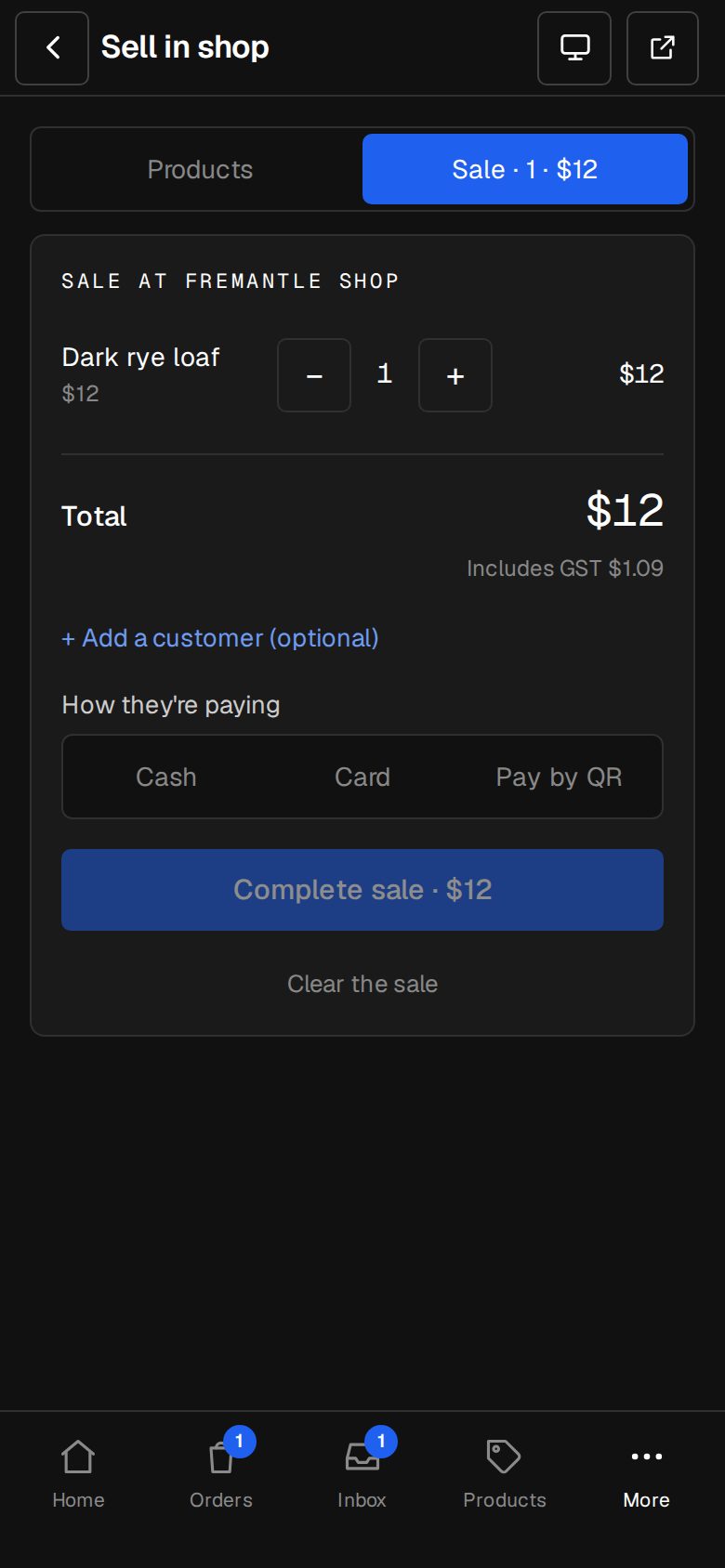
Tap a product, or type in Find a product. A product with options asks which one. Use the minus and plus buttons to change how many. On a phone, switch between Products and Sale at the top.
Add a customer, if they want a receipt
Tap + Add a customer (optional). Find them in Contacts, or type a Name and Email for someone new. Their email gets the receipt.
Choose how they're paying
Pick Cash, Card or Pay by QR. For cash, type Cash handed over to see the change. For card, take it on your card terminal first: o/i doesn't connect to it, it records the sale as paid by card.
Complete the sale
Tap Complete sale with the total. The screen shows Paid, the change if there is any, and New sale for the next customer. See the order opens it in Orders.
Or show the QR
For Pay by QR, tap Show the QR. They scan it with their phone's camera and pay on Stripe. The screen waits, then shows Paid. If they change their mind, tap They're not paying by QR, cancel.
Good to know
- Pay by QR shows only once your Stripe is connected (see Connect Stripe). The money goes to your own Stripe.
- Prices and tax come from the products and Settings · Tax and currency.
- The team isn't emailed about counter sales: you were there.
- A refund of a counter sale puts the stock back at that shop.
Was this helpful?