
Import past orders
Bring your order history across from Shopify, so each customer's past orders show on their contact and in their account. Orders come in as they were: the same numbers, dates, lines, delivery and totals. Nothing is charged, emailed or taken from stock.
Orders come with the Shop, an add-on an Owner adds under Settings · Plan, in Add to your plan.
2 minutesOwners and ManagersWorks on a phone
Import your contacts first
Contacts · Import brings names, tags and addresses across. See Import your customers.
Export your orders from Shopify
In Shopify, go to Orders, then Export, choose all orders, as a plain CSV. Up to 20,000 rows and 4 MB in one file. For more, export a shorter date range and import each.
Open Orders, then Import
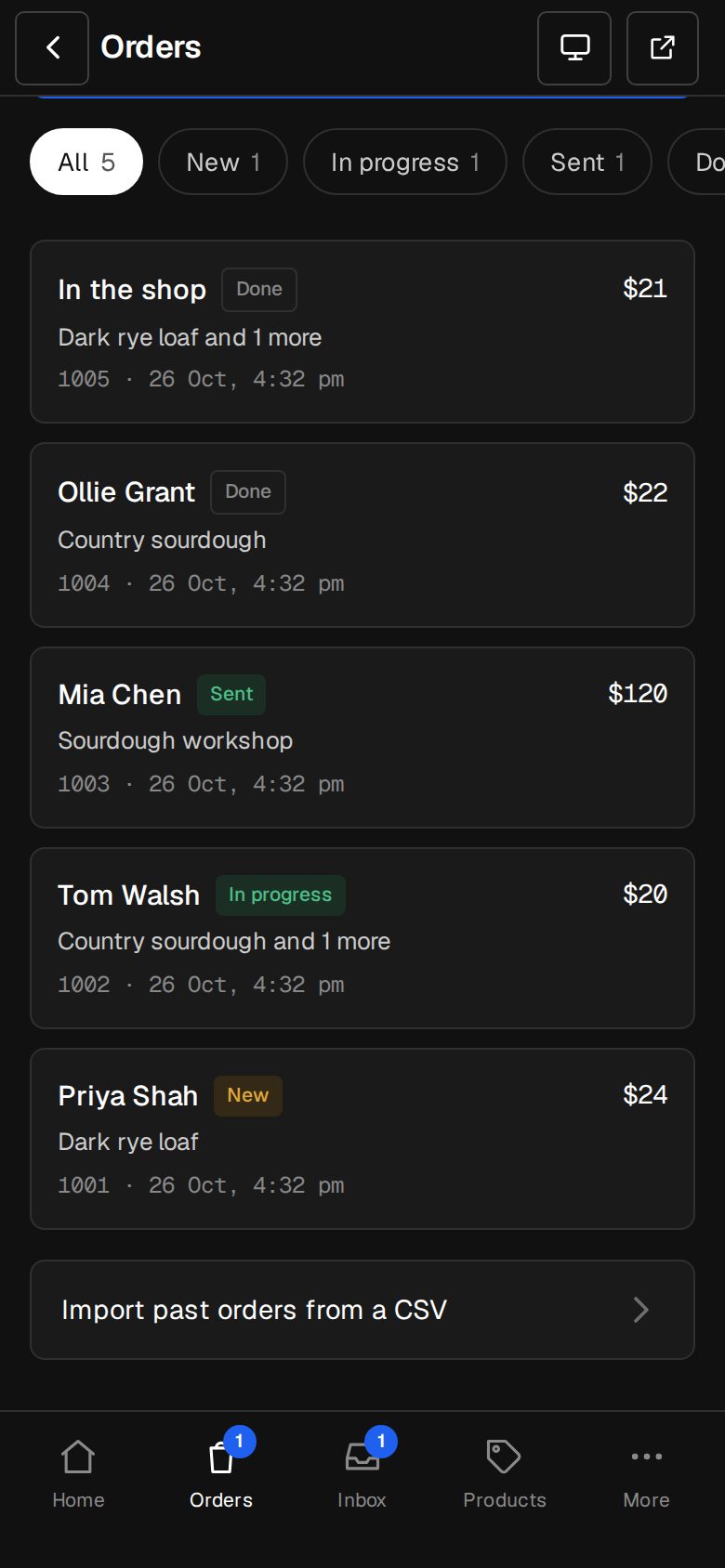
On a computer, choose Orders in the sidebar. On a phone, tap Orders in the bar at the bottom. At the bottom, tap Import past orders from a CSV.
Check the file
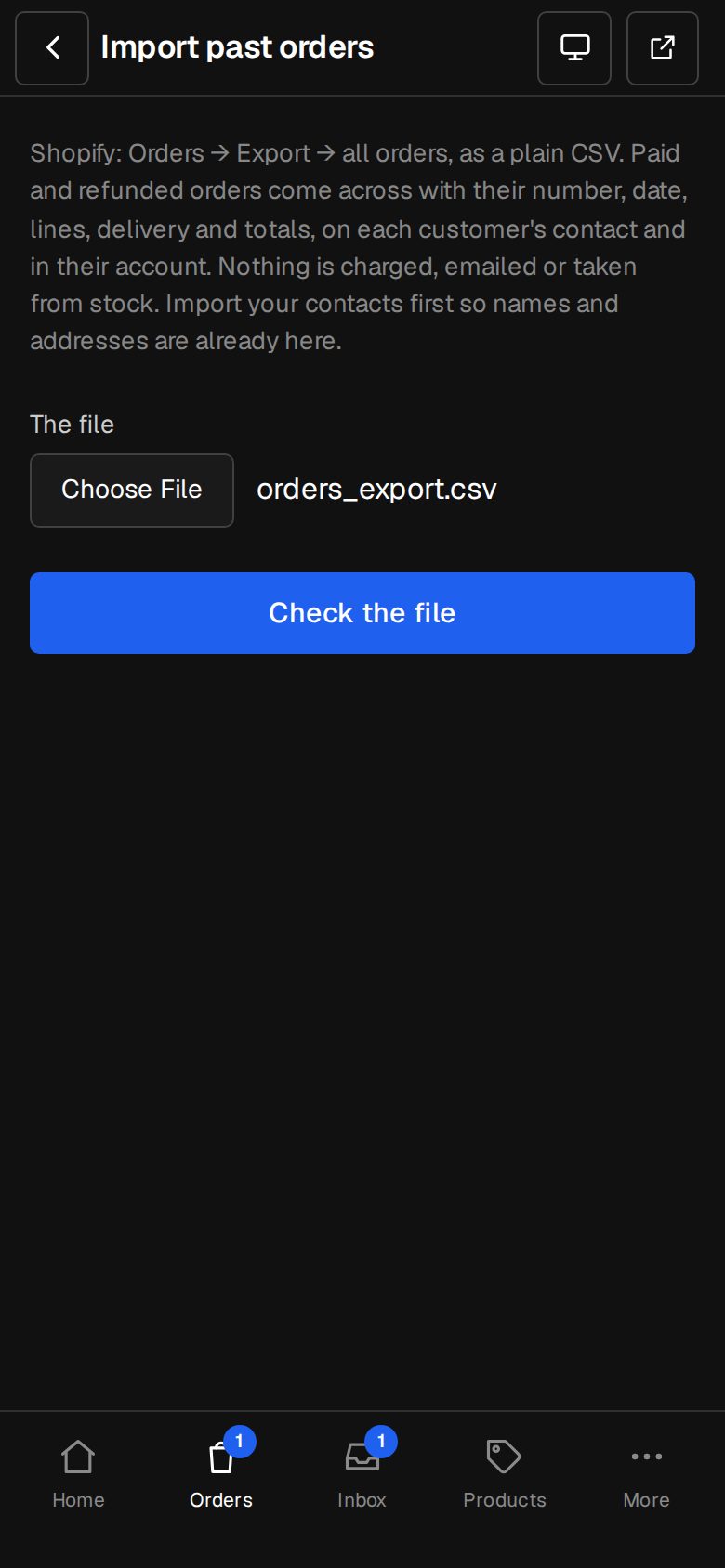
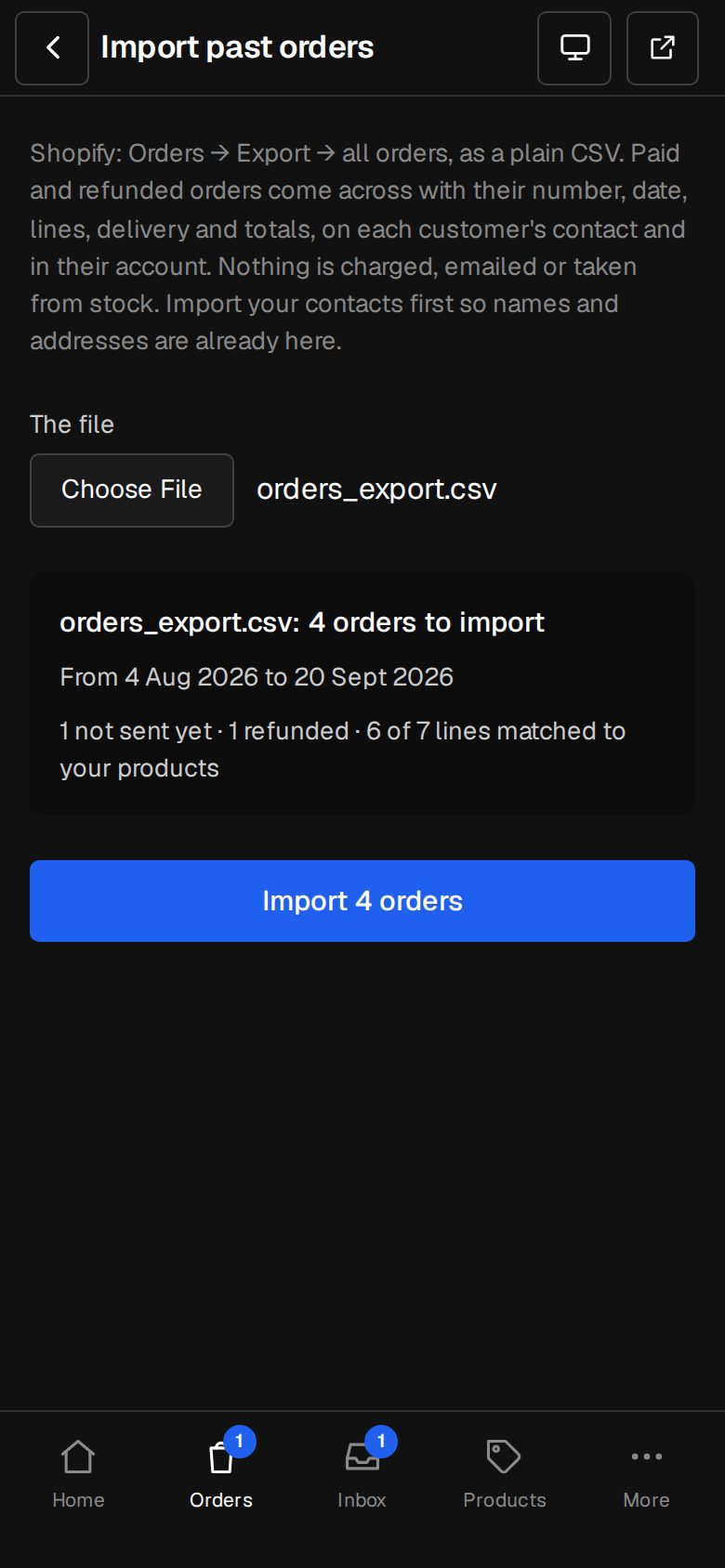
Under The file, choose the CSV and tap Check the file. It shows how many orders, the dates they run from and to, how many weren't sent yet, how many were refunded, and how many lines matched your products. Each row Left out says why.
Import
Tap Import, with the number of orders on it. Then See your orders.
Good to know
- Only paid and refunded orders come across. Unpaid ones, and any without an email or a date, are left out.
- A line matches one of your products when the names are the same. Others keep their name, without a link to a product.
- An order your old shop hadn't sent yet comes in as New, among your orders to do.
- A number already used here by another order is left out. The same file again adds nothing new.
- Your next order carries on from the highest number.
- A refund on an imported order is only recorded. Pay the money back where it was paid.
Questions
Will customers see their old orders?
Yes, once they sign in to their account with the same email. They're on their contact's page for your team too.
Can I import from somewhere other than Shopify?
The import reads Shopify's order export columns, such as Name, Email, Financial Status, Total and Lineitem name. Another file would need the same headings.
Was this helpful?