
Help/Shop/Edit products in a spreadsheet
Edit products in a spreadsheet
Change prices, stock and more across hundreds of products at once. Download your products as a spreadsheet, change it in Excel, Numbers or Google Sheets, and upload it back. You see exactly what will change before anything does.
2 minutesOwners and Managers, with the shop onWorks on a phone
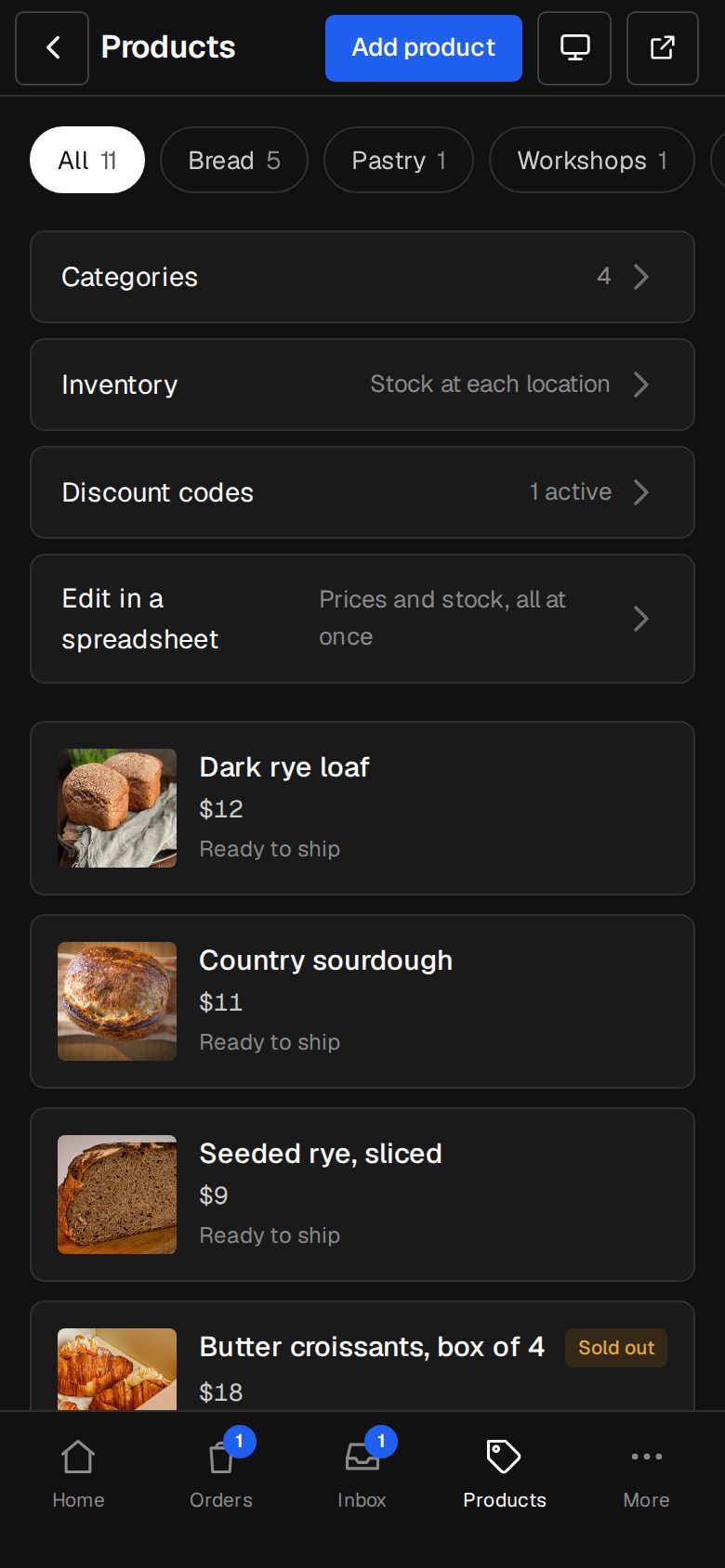
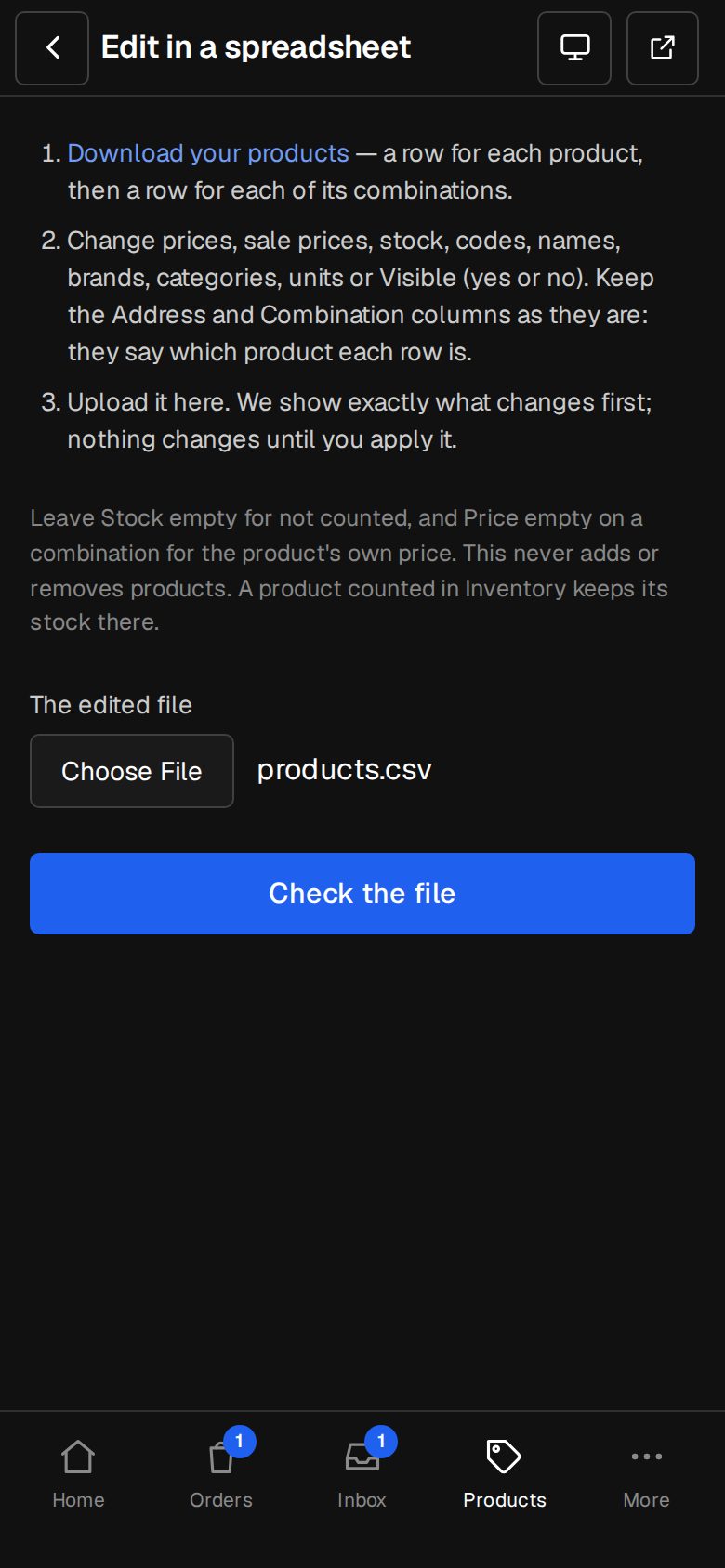
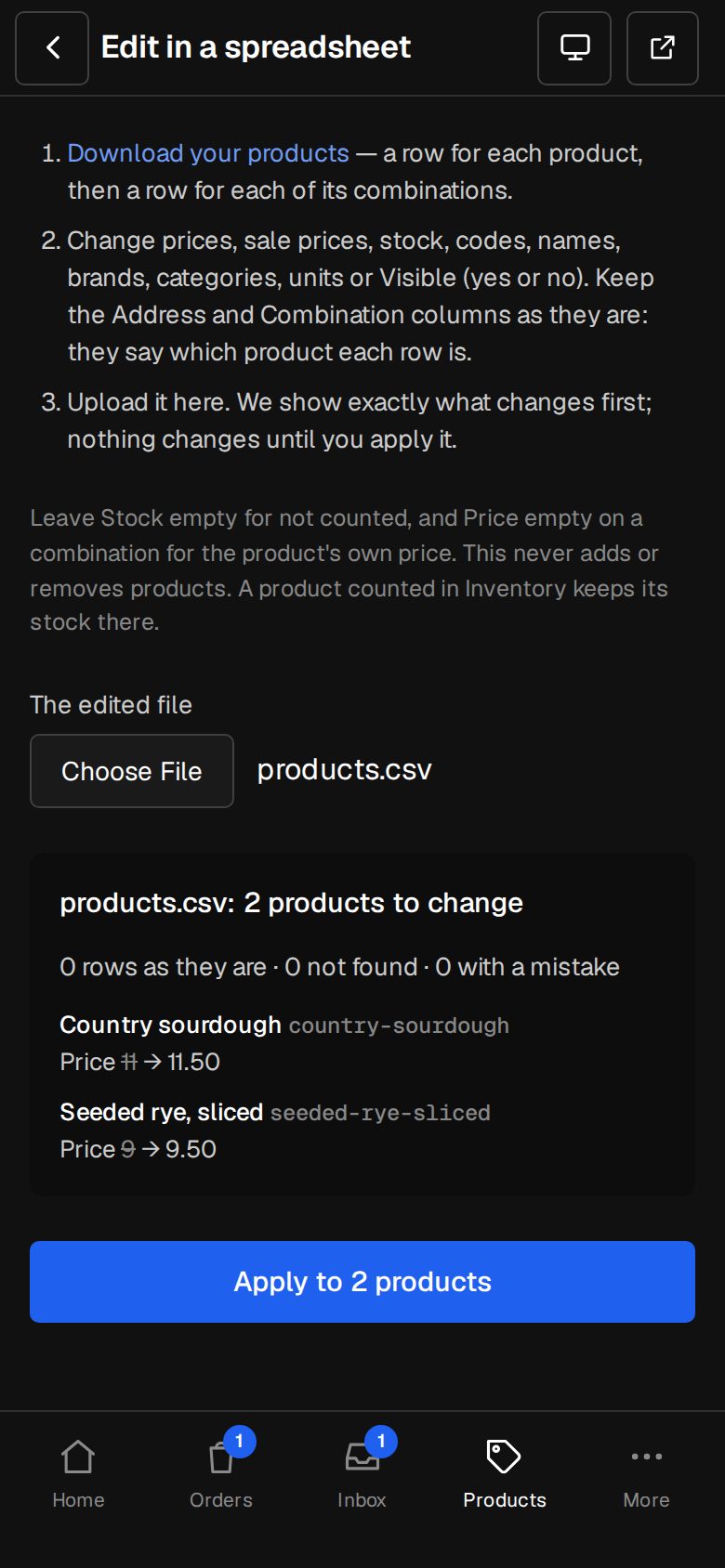
Open Products, then Edit in a spreadsheet
On a phone, tap Products in the bottom bar. Edit in a spreadsheet sits under the list, with Prices and stock, all at once.
Tap Download your products
You get a CSV file: a row for each product, then a row for each of its combinations.
Change what you need
Edit prices, sale prices, stock, codes, names, brands, categories, units or Visible (yes or no). Leave the Address and Combination columns as they are: they say which product each row is.
Upload it under The edited file
Pick the file and tap Check the file. You see each product's changes, from and to, and any row with a mistake and why.
Apply it
Tap Apply to, with the number of products. Everything is changed in one go, and Activity gets one line.
Good to know
- It never adds or removes products. A category must already exist.
- Leave Stock empty for not counted, and Price empty on a combination for the product's own price.
- A product with options keeps its stock on its combinations. A product counted in Inventory keeps its counts there.
- A row with a mistake changes nothing until it's fixed.
- Files up to 4 MB.
Questions
Can I add new products this way?
Not here. Add them in Products, or bring them in from Shopify's export with Products · Import, or straight from your old store with Move your shop.
Was this helpful?